Guest Configuration (Contacts)
Configure how Contacts (your external collaborators) and Guests access your workspace, what they can see, and which actions they can take.
Guest Permissions Dashboard
Guest Configuration Interface
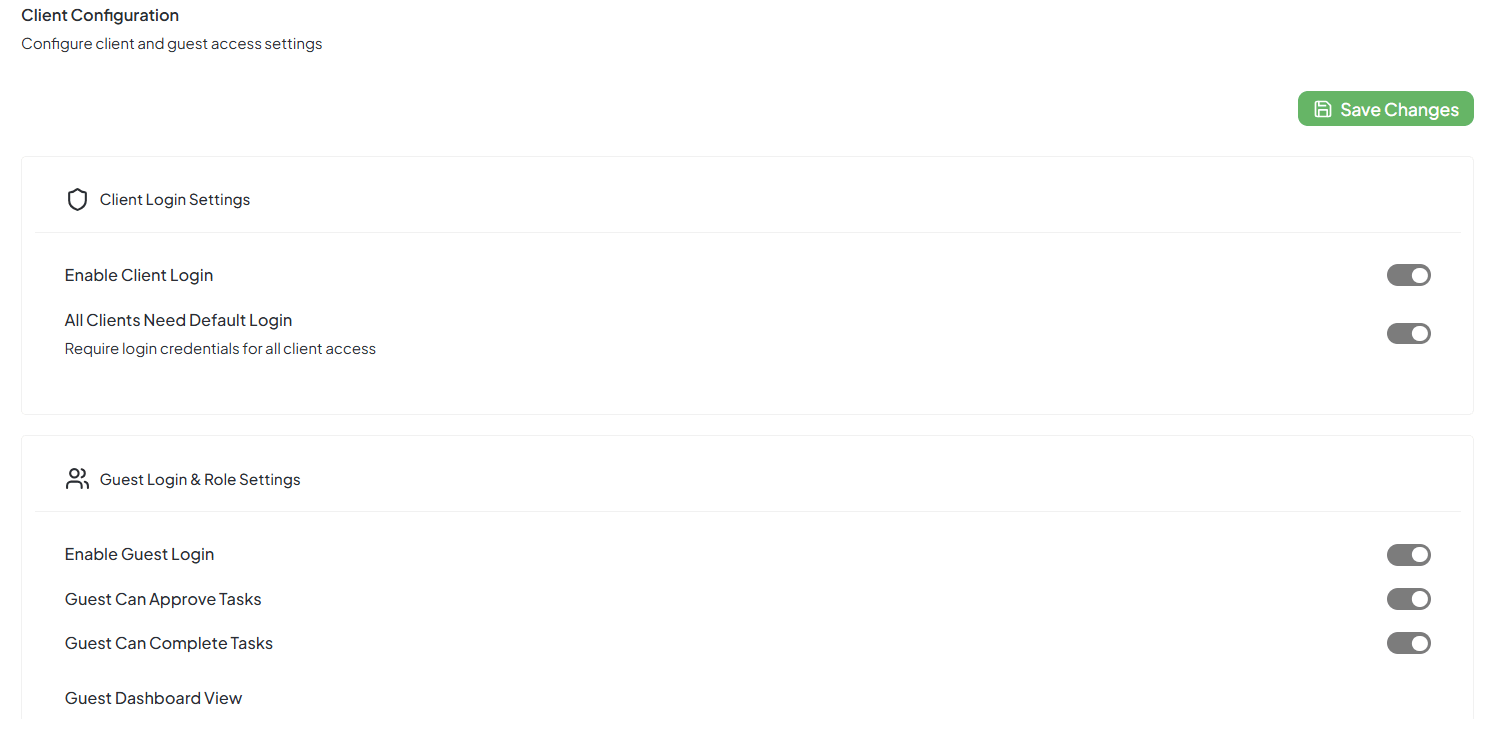
Guest permission settings dashboard for contact management
Access Control
Manage guest login capabilities and portal access settings
Task Permissions
Control what guests can do with tasks and workflows
Guest Login Settings
| Setting | What It Does |
|---|---|
| Enable Guest Login | Lets guests log into your workspace with limited access |
| Guest Can Approve Tasks | Guests can mark tasks as Approved when they're satisfied |
| Guest Can Complete Tasks | Guests can mark a task as Completed once it's done |
| Guest Dashboard View | Choose what sections (modules) guests can see on their dashboard — like Tasks, Documents, or Projects |
Enable Contact Login
Allows contacts to sign in to a lightweight portal. Effect: A login link can be created/sent for each contact.
All Contacts Need Default Login
Requires that every contact uses credentials to access anything. When to use: Regulated work, NDAs, or when you want audit trails.
Task Permissions
| Setting | What It Means |
|---|---|
| Can Add Tasks | Guests can create new tasks (like feedback requests or approvals) |
| Can View Comments | Guests can read team comments on tasks |
| Can View Time Logs | Guests can see how much time your team spent on a task |
You can control how much your guests can do with tasks.
Example: If your client only needs to review progress, keep View Comments and View Time Logs on — and turn off Add Tasks.
Fine-grained Permissions (checklist)
Can Add Tasks
Allow new requests
Can Comment on Tasks
Collaborate without changing status
Can View Comments
Read thread history
Can Upload Files
Share briefs, proofs, invoices
Can View Task Status
See progress
Can Approve Tasks
Give formal sign-off
Can View Documents
Access the Documents area
Can Log Time / Can View Time Logs
Keep off unless you bill by contact/guest hours
Task Configuration & Defaults
| Setting | What It Means |
|---|---|
| Task Status Visibility | Decide which task statuses guests can see (like To Do, In Progress, Completed) |
| Default Task Assignee | When a guest creates a task, it will automatically be assigned to this team member |
| Default Task Labels | Add default tags (like "Client Task" or "External Feedback") to every task made by a guest |
Client Permissions
Clients are different from guests — they usually have a bit more control.
| Permission | Meaning |
|---|---|
| Can Add Tasks | Clients can add or request new tasks |
| Can View Comments | They can see team discussions |
| Can Log Time | Clients can view or track time spent on their projects |
| Can Upload Files | Clients can upload documents or design files |
| Can View Task Status | Clients can check the progress of their tasks |
| Can Approve Tasks | Clients can mark tasks as approved |
| Can View Documents | Clients can view shared files or reports |
Guest Chat Settings
| Setting | What It Does |
|---|---|
| Allow Chat for Guests | Let guests use chat inside your workspace |
| Default Chat Channel | Sets which channel the guest will join by default (e.g., General Channel) |
| Who Can See Guest Messages | Controls which team members can see messages from guests |
Notifications
| Notification | What It Does |
|---|---|
| Send Access Instructions to Client | Sends login details automatically when access is given |
| Notify Team When Client Logs In | Alerts your team when a client signs in |
| Notify Team on Task Completion | Notifies your team when a client/guest completes a task |