Add Department
Foundational organizational structure management
The Add Department feature allows administrators to categorize users and tasks into functional units. This structure is essential for accurate task filtering, reporting, and organizational visualization.
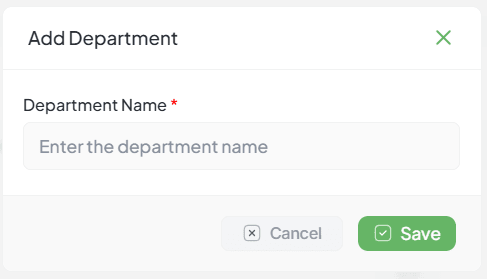
Path: Settings > Admin Panel > Departments > Add Department
Interface Controls
Department Name *
A unique identifier for the department. Required for system indexing.
Cancel Action
Exits the creation window without saving progress.
Save Button
Validates input and records the new department entity.
Implementation Steps
Select Add Department from the department list view.
Enter the name of the functional unit in the required text field.
Click Save to confirm the creation.
Validation: Name cannot be empty upon submission.
Add Designation
Hierarchical role and title management
The Add Designation feature defines the formal titles and hierarchy levels within your organization. These designations are critical for structuring the organogram and establishing automated reporting lines.
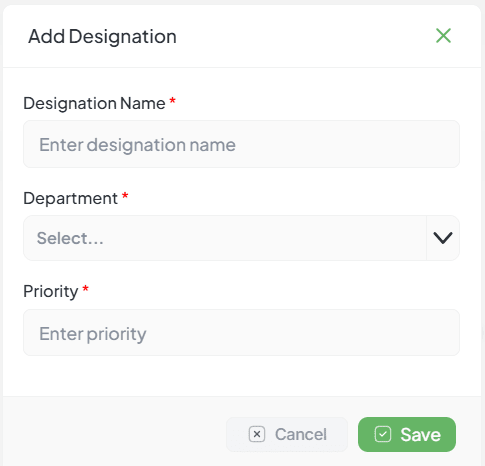
Path: Settings > Admin Panel > Designations > Add Designation
Configuration Fields
Designation Title *
The functional role title (e.g., Manager, Team Lead). Required field.
Department Mapping *
Selection of the pre-defined department to which the role belongs.
Priority Weight *
Numeric value used for tree sorting. Lower numbers represent higher hierarchy.
Implementation Workflow
Select Add Designation in the management panel.
Complete required fields: Title, Department, and Priority.
Finalize by selecting Save to register the role.
Note: Departments must be created before designations can be mapped.