Automation and productivity guide
A practical guide to AI-assisted task management
A practical guide to using AI for task creation, priorities, updates and reporting while keeping people responsible for important decisions.
Teams spend a surprising amount of time turning requests into tasks, rewriting meeting notes, asking for updates and preparing weekly reports. This work is necessary, but much of it follows a repeatable pattern.
AI task management can reduce that coordination work. It can draft a task, summarize a project, suggest what needs attention and prepare a report for review. It works best when it has clean task data and clear rules around what people must approve.
The goal is not to let software make every decision. The goal is to help people spend less time organizing information and more time planning, solving problems and delivering work.
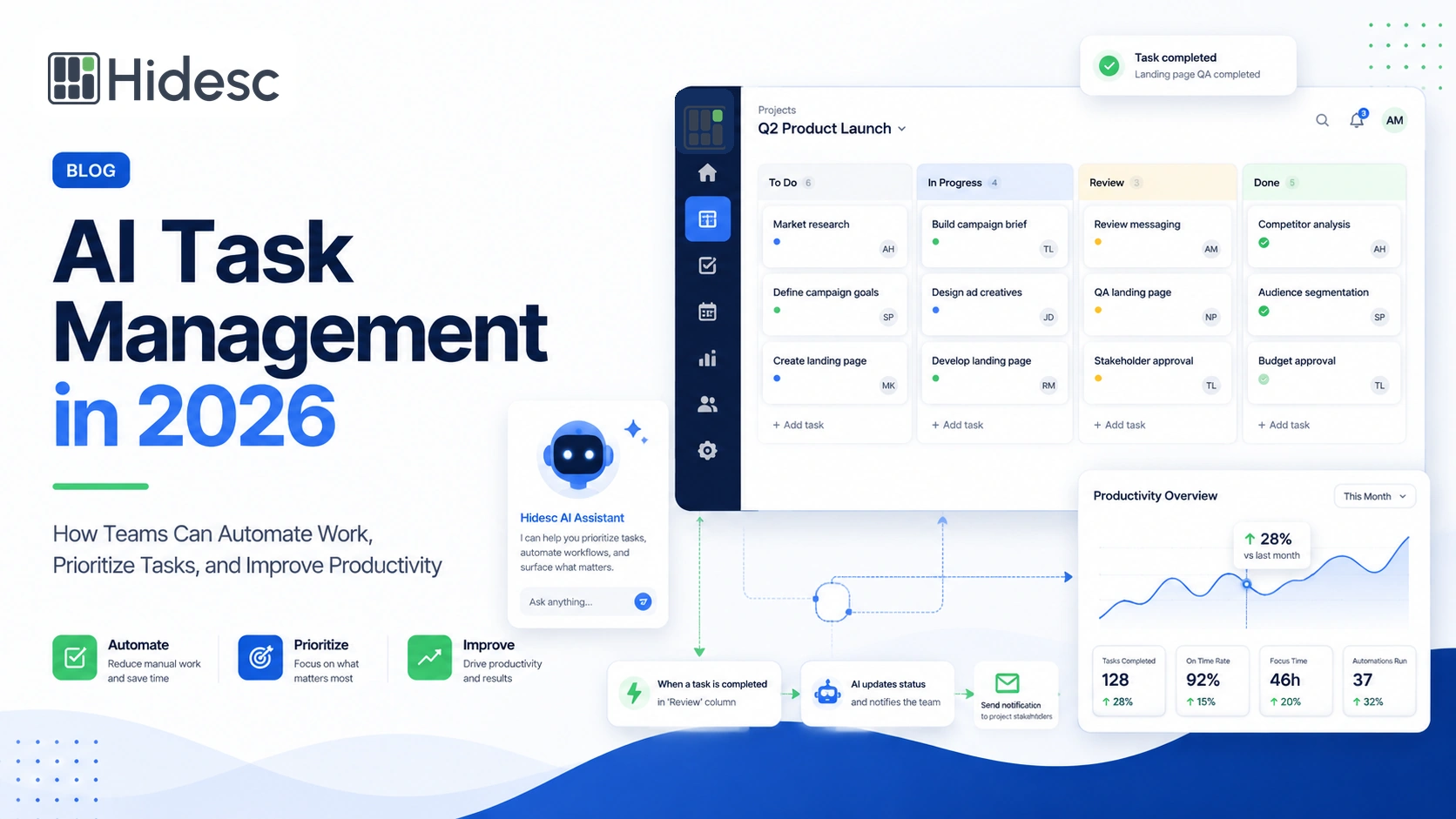
Quick answer: AI task management combines a structured task system with an assistant that can understand instructions, draft work and highlight priorities. Hidesc Smart Assistant works with tasks, workflows, approvals and reports so suggestions stay connected to real work. Owners and managers still confirm scope, deadlines, commitments and high-impact decisions.
What AI task management means
AI task management uses artificial intelligence inside a task management platform. The task platform stores the project, owner, due date, status, priority, comments, documents and activity history. The AI assistant uses that context to help the user act faster.
For example, Hidesc Smart Assistant can help turn a work request or meeting outcome into a structured task. It can also summarize project activity, highlight overdue work and suggest the next step. The responsible user reviews the result before it becomes a commitment.
AI does not fix an unclear process by itself. A task still needs an owner, a useful description and a clear definition of done.
AI assistance and workflow automation are different
Workflow automation follows a rule. AI interprets information and prepares a suggestion or draft. The strongest process uses both.
In Hidesc, Smart Assistant can draft or summarize the next action. Workflow automation can then apply the firm's approved rules, such as assigning the reviewer when a task reaches Ready for Review.
| Activity | Rule-based automation | AI-assisted work |
|---|---|---|
| Task creation | Create a recurring task from a saved template. | Draft a task from a plain-language request. |
| Prioritization | Apply a fixed priority when a condition is met. | Suggest priorities from deadlines, impact and blockers. |
| Meeting follow-up | Send an approved reminder after the meeting. | Draft decisions and action items from the notes. |
| Reporting | Generate a scheduled report from selected fields. | Prepare a concise summary of current task data. |
| Workflow handoff | Assign and notify the next owner after a status change. | Summarize the context the next owner needs. |
Practical uses
Ten useful AI task-management workflows
Start with work that is repetitive, easy to review and based on information already stored in the task system.
1. Create a task from a request
Describe the required outcome in plain language. Hidesc Smart Assistant can help draft the title, details, owner, deadline, priority and follow-up actions. The owner checks the draft before assigning it.
2. Break large work into steps
Use AI to draft subtasks for a broad assignment. This can expose missing dependencies, approvals and completion criteria before work begins.
3. Suggest what needs attention
Hidesc can highlight urgent work, blocked tasks, overdue approvals and high-impact items. A manager should confirm the final priority order.
4. Turn meeting notes into actions
Draft decisions, tasks, owners, target dates and unresolved questions from meeting outcomes. Keep the original notes linked for checking.
5. Summarize project updates
Prepare a short view of completed work, blockers, overdue tasks and decisions needed. Hidesc keeps the summary connected to live project activity.
6. Draft better reminders
Create a clear reminder for an overdue task, missing document or pending approval. Hidesc workflow rules can send the approved message at the right stage.
7. Standardize recurring work
Turn a known process into a reusable Hidesc task template with tasks, subtasks, owners, deadlines and approval points.
8. Support reviews and approvals
Summarize a request or identify missing information for the approver. Hidesc approval rules still control who can decide and what happens after approval or rejection.
9. Find work information faster
Ask for overdue work, blocked approvals or recent decisions. Answers should lead back to the supporting task, comment or document.
10. Prepare management reports
Summarize workload, delays, approval queues and progress trends. Managers should verify the facts before using the report for a decision.
Keep people responsible
What AI should not decide alone
AI should not independently change a contractual deadline, approve a financial commitment, evaluate an employee, accept a safety or compliance risk, or send sensitive customer communication.
Use AI to draft, summarize, classify, recommend and alert. Keep people responsible for approving, committing, negotiating, escalating and accepting risk.
| Activity | AI can assist with | Human responsibility |
|---|---|---|
| Draft a task | Prepare the first version. | Confirm scope, owner, due date and completion criteria. |
| Suggest priorities | Compare urgency, impact and dependencies. | Approve the final priority order. |
| Summarize status | Prepare a concise update. | Verify facts, names and stakeholder wording. |
| Support approvals | Classify the request and summarize context. | Authorized approvers and business rules control the decision. |
| Generate reports | Organize current task information. | A manager checks the conclusion before acting. |
Permission-aware support matters. Hidesc Smart Assistant works alongside role-based access so users only work with information and actions they are allowed to see.
Prepare your task data before using AI
AI works best when tasks have meaningful titles, clear owners, current due dates, useful statuses, priorities, project context and completion criteria. Decisions and final documents should also have a consistent home.
Before wider use, clean the Hidesc workspace. Archive duplicates, standardize status names, assign missing owners and correct outdated dates. Decide which fields are required and which information the assistant may use.
A shared workspace gives the assistant better context than disconnected spreadsheets, personal notes and separate message threads. It also makes the source easier for the user to verify. Teams moving from scattered tools can begin with a centralized task-management process before adding AI assistance.
Useful task context
- Clear title and description
- Owner and team
- Due date and priority
- Status and dependencies
- Completion criteria
Useful project context
- Project goal
- Approved decisions
- Relevant documents
- Client or stakeholder needs
- Access permissions
Start with one workflow
A simple 30-day implementation plan
Week 1: Choose the problem
Select one repetitive workflow, such as meeting follow-up, weekly reporting or incoming task requests. Record how it works today.
Week 2: Prepare the workspace
Clean the Hidesc task data, define the expected output and identify every required approval.
Week 3: Run a small test
Use the workflow with a small team. Compare the AI-assisted draft with the team's existing process.
Week 4: Measure and improve
Correct errors, document responsibilities and decide whether the workflow is ready to expand.
Measure outcomes, not the number of prompts
A useful workflow should save time without creating more corrections. Hidesc analytics and task data can help the team compare the new process with its previous way of working.
| Metric | What it shows |
|---|---|
| Task-creation time | Whether the assistant reduces setup work. |
| Meeting-to-task time | How quickly discussion becomes assigned work. |
| Overdue-task rate | Whether priorities and reminders improve execution. |
| Approval turnaround | Whether review handoffs move faster. |
| Status-chasing messages | Whether the team spends less time asking for updates. |
| First-pass quality | Whether drafts need fewer corrections. |
| User adoption | Whether the workflow is trusted and practical. |
Common mistakes to avoid
- Automating a process with unclear ownership.
- Using incomplete or outdated task data.
- Allowing generated changes without review.
- Sending confidential data to unapproved tools.
- Adding disconnected assistants to every tool.
- Measuring activity instead of useful outcomes.
- Treating a suggestion as a final decision.
- Describing possible future features as available now.
A practical rule: Every generated task, priority or report should show enough source context for a person to check it before acting.
Questions teams often ask
Frequently asked questions
What is AI task management?
It uses artificial intelligence to help create, organize, prioritize and summarize work inside a structured task system.
How is AI used in task management?
Teams use it to draft tasks, break work into steps, suggest priorities, turn meeting outcomes into actions, summarize progress and prepare reports.
Will AI replace project managers?
No. It can reduce routine administration, but people remain responsible for scope, negotiation, customer commitments, risk, leadership and final decisions.
What is a good first use case?
Meeting follow-up, weekly reporting or drafting tasks from incoming requests are useful starting points because they repeat often and are easy to review.
What data does the assistant need?
It needs current task titles, owners, deadlines, statuses, priorities, dependencies, comments, documents and project history.
Can a small business use AI task management?
Yes. A small team can start with one Hidesc workflow, measure the result and expand only after the output is accurate and useful.
How should teams review generated tasks?
The owner should check the scope, assignee, due date, priority, dependencies, required information and completion criteria before assignment.
What are the main risks?
Common risks include incorrect priorities, missing context, confidential-data exposure, unverified output and unclear accountability.
Final takeaway
Use AI to reduce coordination, not responsibility
AI task management is most useful when it removes repetitive organization work without removing human ownership. It can help teams create clearer tasks, identify important work, reduce follow-ups and prepare better updates.
Start with one workflow in Hidesc. Improve the quality of its task data, define where a person must approve the result and measure what changes. Expand only after the process is reliable. Teams can use the wider guidance on AI automation for productivity to identify other repetitive work that still needs human review.
A well-run workflow should make work easier to understand and act on. It should never make responsibility harder to find.
Related Hidesc resources
Editorial note: Review product wording against the currently released Hidesc experience before publication. This article does not treat generated output as a replacement for professional or managerial judgement.