Running a small business means keeping people, clients, deadlines and day-to-day responsibilities moving in harmony. The right operations software for small businesses can add a clearer structure to that work, but picking a platform begins with understanding the problems you need to solve.
Start by finding out where your work is getting lost if your tasks are scattered across spreadsheets, email and messaging apps. Then, assess the software against those situations, instead of purchasing the longest list of features.
This guide is aimed at service-led businesses, consulting teams and professional practices. It covers what to look for, how to compare costs, how to test a platform with real workflows, with Hidesc as one option to consider, not a universal “best” recommendation.
When Should Your Business Have an Operations Platform?
Do not start with a vague desire to be more productive. Start with something you can observe. When you have a number of these situations happening over and over again, consider having a more structured system:
- Ambiguous ownership: Employees receive instructions from several sources and are not able to easily identify who owns the task.
- Forgotten follow-ups: Managers keep asking for updates because the last status is not documented.
- Repetitive work: You need to recreate the same work every month or week by hand.
- Slow approvals Work is done, but no one knows whose review is next.
- Scattered client information: It’s hard to connect documents, messages and deadlines with the right engagement.
- Poor management visibility: Owners are unable to distinguish moving work from blocked work.
If you have a very small team with simple responsibilities, a shared list of tasks may be all you need. If the bigger issue is the handoffs between people and processes, then an integrated platform might be worth a look.
What to look for in operations software for small businesses
Don’t make all the features equally important. Start with the features you need to run your most important workflows and then consider other features that are either specialized or growth-related.
Task ownership, due dates, and repeating tasks
Look for a clear owner, due date, priority and status of each task. See if employees can easily find their work. See if managers can see what is overdue or blocked without having to go into every project.
Repeatable work – look at recurrence rules closely. A task that repeats a fixed number of days after being completed is not the same as a monthly duty that is due on a calendar date.
Good questions could be:
- Recurrence behavior: What if the previous task is still open when the next one is due?
- Workday rules: Can you schedule for weekends, holidays and time zones?
- Templates: Are checklists, attachments and responsibility assignments reusable?
- Escalation: Can overdue work be escalated to a manager without over-notification?
workflow and approvals
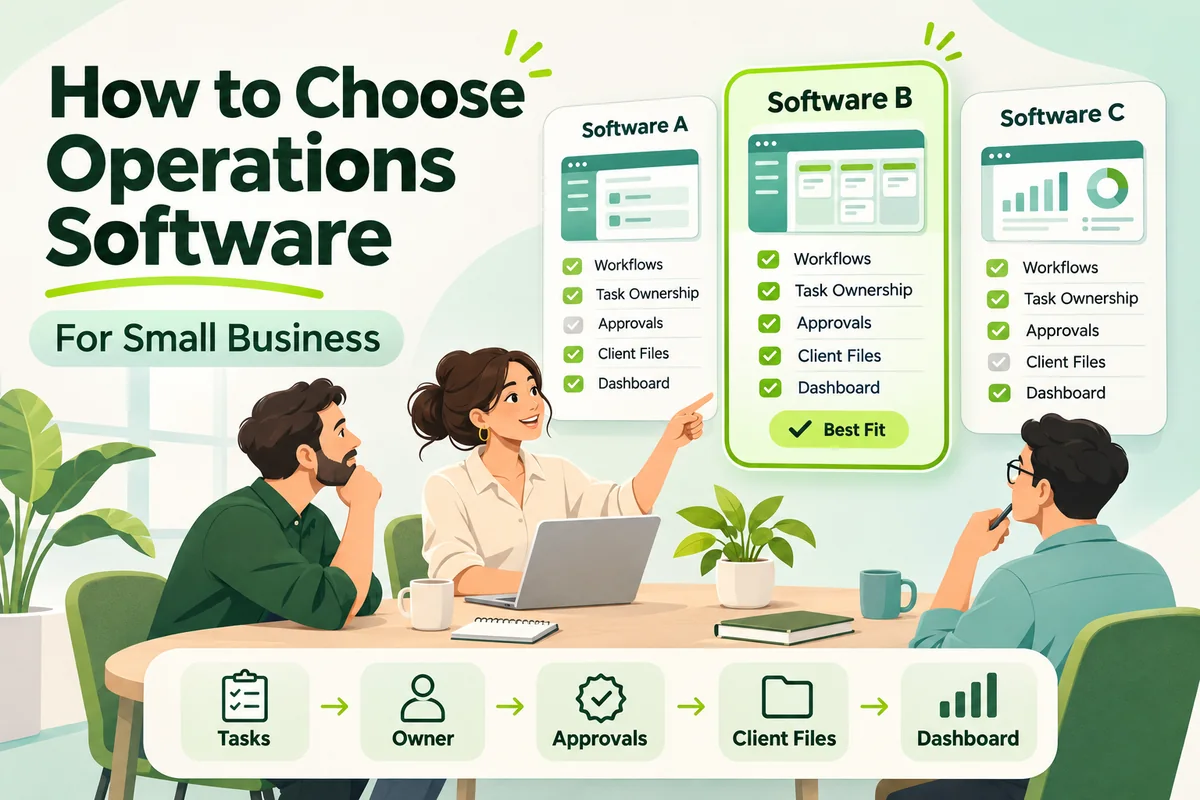
A workflow is a repeatable process of linking individual tasks together. For client onboarding that could be request received, information collected, reviewer approved and service activated.
Test the exceptions in a demo . Test the happy path in a demo . Refuse approval, return work for correction and reassign a task if someone is unavailable.
Maintain a clear distinction between tracking and automation. A board that shows stages in the workflow is helpful but doesn’t automatically create the next task, or apply a conditional rule or escalate a delay.
Client records and contextual communication
Service businesses should be able to link client details, documents, tasks and conversations. A good test is if a colleague can take over from someone and continue the engagement without having to go through private messages.
When clients are granted access, check the line between internal and external information. Get a test guest account and see exactly what the client can see/upload/comment/approve.
It is also necessary to differentiate between client management and sales CRM. The active client work organization does not inherently include lead qualification or sales forecasting or a full deal pipeline.
Permissions , account security , and activity history
Security should be on the buying checklist even for a small team. NIST recommends enabling MFA, using standard rather than administrative accounts where appropriate, and regularly backing up data with protection and testing of those backups.
Ask each vendor:
- Account security: MFA options, session controls and employee offboarding.
- Access boundaries: Role, team, project or client based restrictions.
- Activity history: History of major changes, approvals and permission updates.
- Recovery: backup schedules, restore procedures and recovery commitments.
- Data handling: Hosting locations, retention, deletion and relevant contractual terms.
Make certification claims separate from feature descriptions. Instead of saying that “enterprise-grade security” equals a given certificate or compliance result, ask them for the current proof and what it covers.
Data portability and integrations
Before you plug in tools, figure out which system owns which type of information. For example, your accounting application might still be the source of truth for financial records, while the operations platform takes care of delivery.
Check if integrations are native, third-party or require custom development. Check direction, frequency, failure handling, and plan requirements.
Before you buy, ask the vendor if you can export a sample project or client record. Look to see if the export includes attachments, comments, dates, ownership, useful history, and not just the task titles.
Reporting and supports
The first step is to ask managers the questions they need to have answered. What deadlines are coming up? Where is work piling up? Which employees are overloaded? A dashboard is only useful if it enables you to do something.
Check if reports can tell apart tasks blocked waiting for client info vs. tasks blocked by internal reviewer. Or an overdue list may identify the symptom without identifying the cause.
Don’t rely on completed-task counts as the sole measure of employee performance. A straightforward administrative task is not the same as a complicated client engagement.
Mobile accessibility and daily usability
Test mobile use with the actions people really need: viewing an assignment, uploading a document, adding an update or reviewing an approval. Don't expect every desktop feature to behave the same in a mobile app.
Also think about notification controls, search, accessibility and time to learn routine actions. They might have a smaller feature set that they use consistently and that works better for the business than a complex system that requires constant assistance
What kind of software is right for your business?
Choose the work you need to manage, not the broadest product label. Use this table as a first selection aid, then check the real capabilities of each product shortlisted.
| Software category | Primary requirement | Important boundary to check |
|---|---|---|
| Task management | Assigning individual responsibilities and deadlines | Whether dependencies, recurring work and approvals are supported |
| Project management | Coordinating a defined outcome with milestones and resources | Whether ongoing client operations fit the project structure |
| Workflow management | Running repeatable processes with handoffs and rules | Whether steps are automated or only displayed |
| CRM | Managing leads, sales opportunities and customer relationships | Whether post-sale delivery and internal work need another tool |
| Operations or work management | Coordinating day-to-day work across people and processes | Which financial, HR and specialist functions remain outside scope |
| ERP | Connecting transactional functions such as finance, inventory and purchasing | Implementation requirements, process fit and total cost |
If a service team is having difficulty with approvals and assignments, work coordination may be the first priority. Before choosing a general task-management platform for a distributor struggling with stock and purchasing, assess these transactional requirements.
Test one real workflow before committing
The demo should not only display the shiniest features, but also how the platform handles your work. Select a process that involves multiple people, a deadline and at least one approval.
Client-onboarding pilot for consulting firm:
- Intake: Create a client request with the information you need to begin.
- Assignment: Assign an owner, due date and checklist.
- Document collection: Attach sample files and ask for missing information.
- Review: Send it to a manager and get it back once for fix.
- Access testing: Ensure that a guest is not able to see another client’s work.
- Management review: Identify blocked work, upcoming deadlines and workload.
- Exit testing: download the relevant records and inspect their contents.
Baseline measures such as follow-up time, overdue work, approval turnaround and duplicate data entry prior to the pilot were documented. Then check back on the same measures and remember that a small pilot may not reflect the whole business.
One proposed rollout would be to map the process first, configure it with a small group, review problems and only then expand. “Don’t just have the software vendor responsible for the workflow. Have a named business owner responsible for the workflow.
Common selection mistakes to avoid
Software should support a process that works, not cover up a process that isn’t defined. Get ownership, handoffs and approval rules down before you extend automation.
- Don’t choose on price alone: Compare full operating cost and workflow fit, not just the entry subscription.
- Buying all the features: Focus on features that solve problems you have right now.
- Exceptions not considered: Test rejected approvals, missing information, absence cover and overdue work.
- Universal Integration Assumed: Confirm actual connection and on-going maintenance requirements.
- Not considering access boundaries: Test client and employee permissions using real accounts.
- Don't check the export: Know what you can get back when you save important records.
- Activity-only measurement: Look at turnaround, quality, bottlenecks, and number of tasks completed.
Conclusion: Select, then test your workflows
The best operations software for your small business is the one that fits your processes, is practical for your team and provides managers with information they can act on. More useful than a long list of features is a short list, a consistent scorecard and a real workflow pilot.
If you want to give priority to recurring tasks, approvals, client coordination and team visibility, then check out Hidesc’s platform features and compare them against your own needs. Check the scope, access restrictions, plan limits and export options before you start using the platform day to day.
FAQ’s
What is the best operations software for small business?
There is no one best option for every business. Start with your most critical workflows, then test usability, control of access, integrations, reporting, and full cost with the same scenarios.
Can operations software take the place of spreadsheets?
When those capabilities match your needs, it can take over processes such as task tracking, assigning responsibilities and reporting on workflow status. Keep spreadsheets where they are useful for modeling, calculations or special analysis.
Do Small Businesses Need an ERP?
Some do, especially when finance, inventory, purchasing and sales have to work together. ERP is not just for big companies. SAP Business One is targeted specifically to small and midsize companies. (SAP Business One)
What is the difference between a workflow and a task?
A task is an individual activity with an owner and a need for completion. A workflow connects activities, handoffs, and decisions into a repeatable process, such as onboarding a client or approving an expense.
Can I have several companies or client entities on one platform?
Just don't base your decision on the words "multi-company". Ask if the product supports the specific segregation you need, including permissions, workspaces, client records, legal entities and any required financial consolidation.
Is Hidesc good for accounting firms?
Hidesc lists public accounting practice capabilities including recurring compliance work, monitoring GST status, client records and a DSC register. Test those functions against your actual client workflow and don’t assume that status tracking replaces return preparation or filing. (Hidesc CA practice management)
How much should a small business spend on operating software?
Start with the number of users you have, the level of service you need, the migration effort, training and ongoing administration, and build your budget from there. Ask vendors for a written quote on add-ons, usage limits, billing commitments and the cost of leaving.