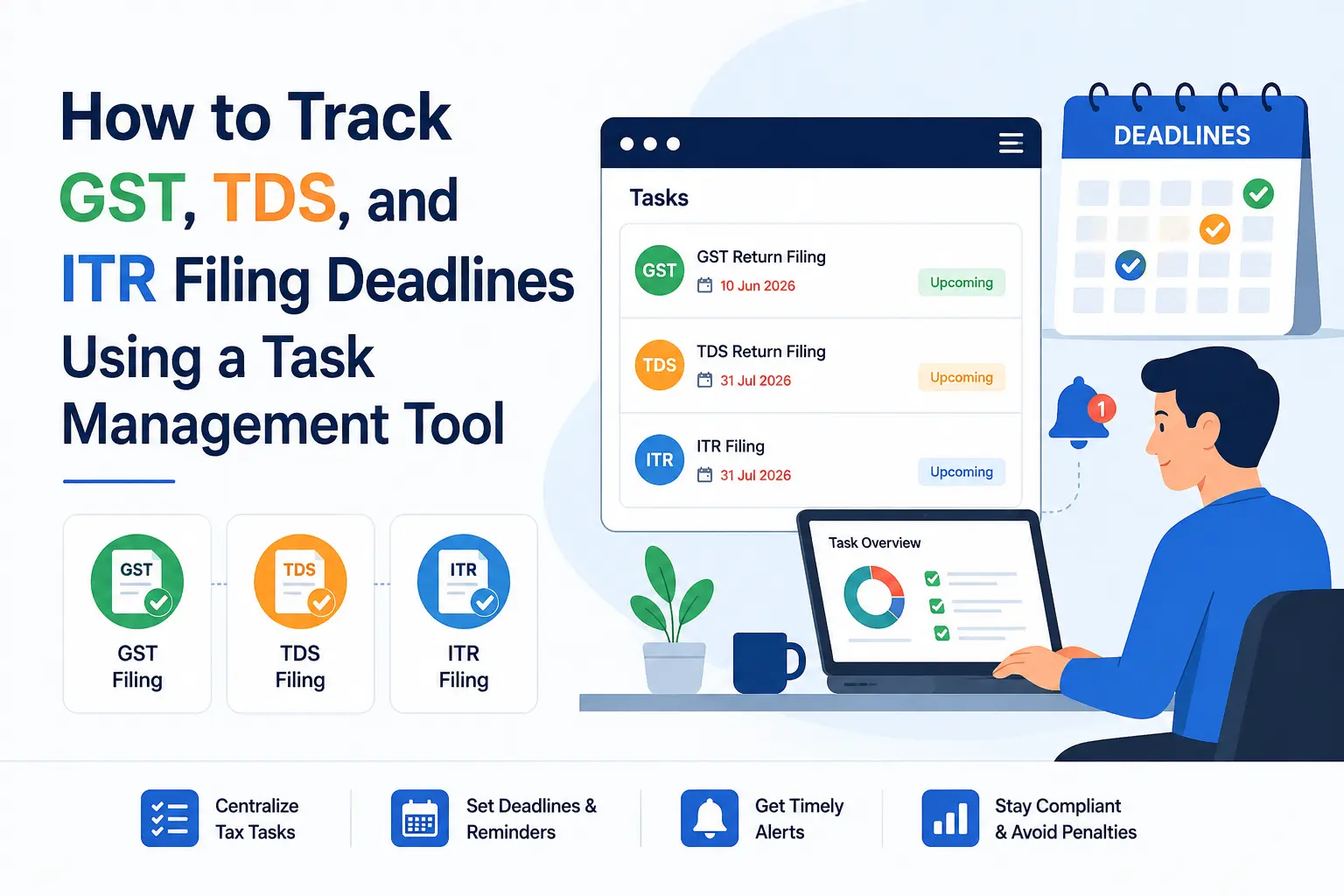
How to Track GST, TDS, and ITR Filing Deadlines Using a Task Management Tool

By Hidesc Team | 14 min read | Category: ca-practice-management

A 2026 guide for CA firms and businesses to track GST, TDS, and ITR filing deadlines with recurring tasks, reminders, approvals, workload visibility, and compliance dashboards.

Tags: CA Practice Management, GST Filing, TDS Return, ITR Filing, Task Management, Hidesc

How to Track GST, TDS, and ITR Filing Deadlines Using a Task Management Tool

Best task management software for CA firms and businesses to never miss a GST, TDS, or ITR deadline, compared on features, pricing, pros, and cons.

Every Indian business owner, accountant, and CA firm partner knows this feeling: it is the evening before GSTR-3B is due, someone is still waiting on a bank statement from a client, and nobody is fully sure whether the due date moved because of a government notification. This is not a people problem. It is a systems problem. Spreadsheets, WhatsApp groups, and sticky notes were never built to track hundreds of rolling compliance dates across multiple clients and GSTINs.

A task management tool built around India's tax calendar changes that. Instead of chasing dates in your head, deadlines live in a system that assigns owners, sends reminders, and uses workflow automation to keep a record of what was filed, when, and by whom. This guide walks through why generic project tools fall short for GST, TDS, and ITR tracking, what a compliance-ready task management setup should include, and how ten popular platforms, starting with Hidesc, stack up on features, pricing, and fit.

Why GST, TDS, and ITR Deadlines Are So Easy to Miss

India's compliance calendar is not a single date. It is dozens of them, repeating monthly, quarterly, and annually, each with its own rule set.

-GSTR-1 is generally due on the 11th of the following month for regular filers, or quarterly under the QRMP scheme.
-GSTR-3B is due on the 20th of the following month for monthly filers, and on the 22nd or 24th for QRMP taxpayers depending on their state category.
-TDS returns, including Form 24Q and 26Q, are filed quarterly, with payment due by the 7th of the following month in most cases and the return itself due about a month after quarter-end.
-ITR filing for individuals and non-audit cases typically falls on 31st July, while audit and transfer-pricing cases stretch into October and November.

Miss any of these and the penalties are not symbolic. For GSTR-1 and GSTR-3B, the standard late fee runs Rs. 50 per day, Rs. 25 CGST plus Rs. 25 SGST, for returns with a tax liability, and Rs. 20 per day for nil returns, capped by annual turnover at Rs. 2,000, Rs. 5,000, or Rs. 10,000 depending on the slab. On top of that, unpaid tax attracts 18% annual interest, rising to 24% where excess input tax credit was claimed. GSTR-9 annual return delays are steeper still, tiered at Rs. 50 to Rs. 200 per day by turnover. None of this includes the reputational cost of a client finding out their return was filed late.

The real risk is not one missed date. It is the compounding effect across a client book of 50, 150, or 300+ entities, each with different registration types, states, and filing frequencies. That is why many firms move from spreadsheets to CA practice management software or a configurable task platform.

Why General Project Management Tools Fall Short

Tools like Trello or a generic to-do app were designed for marketing sprints and product roadmaps, not tax calendars. When firms try to force compliance work into them, a few gaps show up quickly:

No built-in compliance calendar.

Generic tools do not know that GSTR-3B moves to the 21st because of a CBIC notification. Someone has to update every card manually.

Task granularity is too shallow.

Work on ABC Textiles tells a junior nothing. Compliance work needs to be broken down to the transaction level, including bank reconciliation, GSTR-2B matching, and ITC computation, with its own owner and due date.

No maker-checker workflow.

Regulatory work needs a preparer and a reviewer, with a visible approval trail. Most general tools treat every task the same way.

Weak client communication trail.

Proving that you asked a client for data on time can be the difference between owning a late fee and defending against one. That needs a documented request-and-response history, supported by organized files and team communication, not a scattered email thread.

No workload or capacity view.

During ITR season, managers need to see who is overloaded and who has room, across every due-date bucket, not just a single board of cards.

This is precisely the gap that purpose-built task management platforms, general tools with strong automation like Hidesc, and CA-specific practice tools are designed to close.

What a Deadline-Ready Task Management Setup Should Include

Before comparing tools, it helps to know what good looks like. A setup that genuinely protects you from missed GST, TDS, and ITR dates needs five things working together.

1. Recurring Task Templates

Every monthly GSTR-3B, quarterly TDS return, and annual ITR filing should auto-generate from task templates the moment a client is onboarded, not get created manually each cycle.

2. Layered Reminders

T-minus-7, T-minus-3, and T-minus-1 day nudges to the assignee, with automatic escalation to a manager or partner if a task stays untouched close to the deadline.

3. Client-Level and Service-Level Views

The ability to filter everything due for Client X this month as easily as every GSTR-3B due this week across all clients.

4. Approval Chains

A preparer marks a return ready, a reviewer signs off, and the record of who touched what, and when, stays intact for audit and peer-review purposes.

5. Workload Visibility

A dashboard that shows how many open tasks each team member is carrying, so partners can rebalance before the last week of the month becomes a crisis.

Comparing the Top 10 Task Management Tools for Deadline Tracking

Below is an honest, feature-by-feature look at ten platforms, general-purpose and India compliance-focused, that firms and businesses commonly use to track GST, TDS, and ITR deadlines. Hidesc is covered first as the tool this guide centers on, followed by CA-specific platforms and well-known general project management tools.

1. Hidesc

Hidesc is an all-in-one task and project management platform built for hybrid teams that need structure without the bulk of an enterprise suite. For CA firms and finance teams, its strength is combining recurring task automation, role-based permissions, and a no-code workflow builder in one workspace, so a firm can build its own GST/TDS/ITR calendar logic without hiring a developer.

Recurring Filing Cycles

Custom recurring tasks with List, Board, and Calendar views for monthly and quarterly filing cycles.

Preparer and Reviewer Visibility

Role-based access control down to the field level, useful for separating preparer and reviewer visibility.

Maker-Checker Approvals

Multi-level, no-code approval workflows for maker-checker style sign-off.

Firm-Level Goals

OKR tracking connects firm-level compliance targets, like on-time filing rate, to individual tasks.

Document Records

Document management with version history for filing acknowledgments and working papers.

Deployment Flexibility

Both cloud and on-premise deployment, useful for firms with strict data-handling policies and structured team roles.

Pricing: Starter plan from $2.49/user/month, Advanced plan from $4.99/user/month, with roughly 20% savings on annual billing. Enterprise pricing is custom, and regional pricing is available for India.

Best for: CA and accounting firms, and any operations or compliance team, that wants a single flexible workspace for recurring deadlines, approvals, and audit trails without paying enterprise-tier prices.

Pros: Genuinely low entry price for the feature depth on offer. Workflow builder lets non-technical staff encode firm-specific SOPs. Field-level permissions suit firms handling sensitive client financial data. It works for compliance tasks and broader firm operations in one tool.

Cons: It is not purpose-built for India tax law out of the box, so GST/TDS/ITR calendars need to be configured as templates rather than arriving pre-loaded. It also has a smaller ecosystem of India-specific integrations, such as Tally and GSTN, compared to CA-only platforms.

2. ERPCA

ERPCA is a cloud-based practice management suite built specifically for CA, CS, and tax consultancy firms in India, covering task management, billing, and timesheets in one product.

Top features: Pre-built workflow libraries and checklists for recurring filings, automated client reminders via email and WhatsApp, client and project progress dashboards, and billing linked to task completion.

Pricing: Demo-based; ERPCA does not publish flat rates and quotes firms individually based on team size.

Best for: Established CA and tax practice firms that want billing, timesheets, and compliance tracking bundled into a single India-specific product.

Pros: Deep alignment with CA firm workflows, strong client communication automation, and reporting built around practice profitability.

Cons: Pricing is not transparent upfront, it is less flexible for non-accounting use cases, and the interface can feel dense for smaller teams.

3. Turia

Turia positions itself as a CA workflow platform aimed squarely at the operational headaches of Indian firms: DSC expiry tracking, client data collection, and multi-hundred due-date tracking.

Top features: Automated DSC validity tracking for directors and partners, time tracking for ad-hoc consultations, structured client data requests, and audit trail for maker-checker review.

Pricing: Not publicly listed; available on request through a demo.

Best for: Firms specifically frustrated with tracking due dates in Excel and chasing client documents over WhatsApp.

Pros: Built around real CA pain points like DSC renewals and document chasing, with a strong audit trail for ICAI peer review requirements.

Cons: Newer platform with a smaller user base than established players, and its feature roadmap is still expanding.

4. CA CloudDesk

CA CloudDesk is a task-and-compliance management platform aimed at chartered accountants, combining task stages, billing links, and workload reporting.

Top features: Customizable task stages matching firm-specific workflows, tagging by service, priority, and department, time tracking per task, audit trail of task changes and approvals, and billing tied directly to task completion.

Pricing: Available on request; no public self-serve pricing page.

Best for: Mid-sized firms that want tasks, time tracking, and billing tightly connected rather than managed in separate tools.

Pros: Strong reporting on turnaround time and team productivity, with billing integration that reduces double data entry.

Cons: Limited public information on pricing and onboarding time, with fewer third-party integrations than general PM tools.

5. TaskOPad

TaskOPad markets itself broadly as task management software for chartered accountants, focused on breaking large compliance jobs into assignable, trackable subtasks.

Top features: Task prioritization and delegation based on staff skill and availability, task breakdown into subtasks, progress tracking across team members, and secure data sharing for confidential financial information.

Pricing: Contact-based; not published on the public site.

Best for: Smaller CA firms transitioning away from handwritten to-do lists and shared spreadsheets.

Pros: Simple learning curve and purpose-built messaging around CA firm needs.

Cons: Fewer enterprise-grade features like RBAC or OKRs compared to Hidesc, and less suited to larger multi-branch firms.

6. ClickUp

ClickUp is a general-purpose, highly customizable project management platform with a large free tier, popular with teams that want one tool to replace several.

Top features: 15+ views, including List, Board, Gantt, and Calendar, native time tracking on every plan, AI-assisted task creation from chat and comments, and custom fields and statuses for building a GST/TDS calendar manually.

Pricing: Free plan available; paid plans start around $7 to $10/user/month, with Business and Enterprise tiers above that.

Best for: Teams comfortable configuring their own compliance workflow from scratch and who want time tracking bundled in.

Pros: Generous free tier, very deep customization, and time tracking included at no extra cost.

Cons: Steep learning curve for non-technical staff, no India tax content out of the box, and it can feel cluttered for simple recurring-deadline use cases.

7. Asana

Asana is known for clean task and subtask structures with Kanban, calendar, and Gantt-style timeline views, widely used by mid-sized to large teams.

Top features: Task dependencies, portfolio-level reporting, workload view for capacity planning, private fields, and template-based permissions.

Pricing: Paid plans start around $10.99 to $13.49/user/month, with Business and Enterprise tiers above that; free plan capped at a small number of users.

Best for: Firms that want a polished interface and do not need built-in time tracking, which Asana lacks natively.

Pros: Intuitive interface with fast adoption, strong reporting for management visibility, and reliable recurring task support.

Cons: No native time tracking, so billing needs a separate tool; premium pricing for advanced automation; notification volume can get noisy in larger teams.

8. Monday.com

Monday.com is a highly visual work management platform, popular for its colour-coded boards and cross-department dashboards.

Top features: Visual status columns and boards, multi-step conditional automations, dashboards that roll up multiple boards into one view, and CRM-style flexibility for tracking client relationships alongside tasks.

Pricing: Paid plans typically start around $9 to $12/user/month with a multi-seat minimum; free plan limited to a small number of users.

Best for: Teams and firms that value visual dashboards over deep task hierarchy, and want one tool doubling as a lightweight client tracker.

Pros: Easy for non-technical staff to read at a glance, strong cross-team visibility, and flexible enough to double as a simple CRM.

Cons: Seat minimums increase entry cost, there is less depth in task-level detail than ClickUp or Hidesc, and compliance-specific templates need to be built manually.

9. Trello

Trello is a simple, card-based Kanban tool best known for its low learning curve and visual simplicity.

Top features: Drag-and-drop boards and cards, checklists functioning as lightweight subtasks, Power-Ups for added functionality, and calendar view add-on for due dates.

Pricing: Free plan available; paid tiers start around $5 to $10/user/month.

Best for: Solo practitioners or very small teams tracking a manageable number of clients and deadlines.

Pros: Extremely easy to start using, low cost, and good for personal or small-team to-do tracking.

Cons: No real subtask hierarchy with separate assignees or due dates, weak reporting and cross-project visibility, and not built to scale past a handful of clients.

10. Zoho Projects

Zoho Projects is a budget-friendly project management tool that fits naturally into firms already using other Zoho apps like Zoho Books or Zoho CRM.

Top features: Gantt charts, time tracking, client portals, and native integration with the Zoho ecosystem, including CRM, Books, and Finance.

Pricing: Generally the most affordable of the general-purpose tools compared here, roughly $5 to $10/user/month.

Best for: Firms already running on Zoho Books or Zoho CRM that want compliance task tracking to sit in the same ecosystem.

Pros: Strong value for the feature set, built-in client portals, time tracking, and billing-friendly workflows.

Cons: Steeper onboarding, with users commonly reporting 2 to 3 weeks to get comfortable; mobile experience lags behind the desktop app; less customizable than ClickUp or Monday.com.

Pricing at a Glance

Software Starting Price Free Plan Best For
Hidesc$2.49/user/moTrial-basedCA firms wanting automation and RBAC at low cost
ERPCACustom quoteNoEstablished CA/tax practice firms
TuriaCustom quoteNoFirms fighting Excel-and-WhatsApp chaos
CA CloudDeskCustom quoteNoFirms wanting tasks and billing tightly linked
TaskOPadCustom quoteNoSmall CA firms new to task software
ClickUpAbout $7 to $10/user/moYesTeams wanting maximum customization
AsanaAbout $10.99 to $13.49/user/moLimitedFirms needing polished reporting
Monday.comAbout $9 to $12/user/moLimitedVisual, dashboard-first teams
TrelloAbout $5 to $10/user/moYesSolo practitioners, small client books
Zoho ProjectsAbout $5 to $10/user/moLimitedFirms already using Zoho apps

Pricing changes frequently. Always confirm current rates on each vendor's official pricing page before purchasing.

Feature Comparison for Compliance Tracking

Feature Hidesc ERPCA Turia CA CloudDesk ClickUp Asana Monday.com
Recurring task templatesYesYesYesYesYes, manual setupYes, manual setupYes, manual setup
Maker-checker approval flowYesPartialYesPartialNo nativeNo nativePartial
Field-level permissionsYesPartialPartialPartialLimitedLimitedLimited
Native time trackingYesYesYesYesYesNoNo
Client communication trailVia docs and tasksYes, email/WhatsAppYesPartialNo nativeNo nativePartial
India tax calendar pre-builtNoYesYesYesNoNoNo
Capacity/workload dashboardYesYesYesYesYesYesYes

How to Set Up GST, TDS, and ITR Tracking in Practice

Regardless of which tool you choose, the setup process looks broadly the same:

1.

Build one recurring task template per return type, including GSTR-1, GSTR-3B, TDS returns, and ITR, with the correct default due date logic such as 11th, 20th, quarterly, and 31st July.

2.

Attach each client or GSTIN to the relevant templates so tasks generate automatically each cycle instead of being created by hand.

3.

Assign preparer and reviewer roles on every task, so nothing gets marked filed without a second set of eyes.

4.

Set escalation rules, including a T-minus-3-day reminder to the assignee and a T-minus-1-day alert to the manager if the task is still open.

5.

Log delay reasons whenever a deadline is missed, so patterns, such as a specific client or service line, become visible in monthly reviews.

6.

Review the compliance scorecard monthly. On-time filing percentage by client and by staff member is one of the most useful numbers a firm can track using an analytics dashboard.

Conclusion

GST, TDS, and ITR deadlines are not going to get simpler. Filing frequencies, calendar exceptions, and portal rules keep evolving, and manual tracking simply cannot keep pace once a firm crosses a few dozen active clients. The fix is not more discipline from your team. It is a system that carries the compliance calendar for you, assigns clear ownership, and escalates automatically before a date is missed.

Hidesc offers a strong balance for firms that want that structure: recurring tasks, field-level permissions, and no-code approval workflows at a price that does not require an enterprise budget, while still leaving room to configure it around India's specific tax calendar. CA-specific tools like ERPCA, Turia, and CA CloudDesk bring more compliance content out of the box but often at a higher and less transparent cost, while general tools like ClickUp, Asana, Monday.com, Trello, and Zoho Projects work well if your team is comfortable building the tax calendar logic themselves.

Whichever you choose, the real win is not the software. It is never again finding out about a deadline the night before it is due.

Frequently Asked Questions

1. What is the best task management software for tracking GST and ITR deadlines?

There is not a single universal answer. It depends on firm size and budget. Hidesc suits firms wanting strong automation, permissions, and approval workflows at a low entry price. Purpose-built CA platforms like ERPCA, Turia, and CA CloudDesk bring India-specific compliance content pre-loaded, which can save setup time for firms that do not want to build their own calendar logic.

2. Can a general project management tool like Trello or Asana handle GST compliance tracking?

Yes, with manual setup. These tools do not come with GST, TDS, or ITR calendars built in, so you will need to create recurring task templates yourself and update them whenever the government issues an extension notification.

3. What is the late fee for missing a GSTR-3B deadline?

The standard late fee is Rs. 50 per day, Rs. 25 CGST plus Rs. 25 SGST, for returns with a tax liability, and Rs. 20 per day for nil returns, subject to turnover-based caps of Rs. 2,000, Rs. 5,000, or Rs. 10,000. Separately, unpaid tax attracts 18% annual interest, or 24% if excess input tax credit was claimed.

4. How do I make sure my task list updates automatically when a GST deadline is extended?

Most compliance-focused platforms allow admins to update a single master template, which then cascades to every linked client task. In tools without this feature, you will need a designated person to monitor CBIC/CBDT notifications and manually adjust due dates, which is exactly the manual-effort problem these tools are meant to remove.

5. Is it necessary to have separate maker-checker approval steps for tax filings?

It is not legally mandatory for every filing, but it is considered good practice, and it is increasingly expected as part of ICAI's peer review requirements for CA firms.

6. What is the difference between task management software and CA practice management software?

Task management software focuses on organizing, assigning, and tracking work items, including deadlines, owners, and statuses. Practice management software usually bundles that with billing, timesheets, and client relationship tracking specific to accounting firms. Some platforms, like ERPCA and CA CloudDesk, blend both; others, like Hidesc, focus primarily on task and workflow management with flexibility to connect billing separately.

7. Can small CA firms or solo practitioners benefit from this kind of software, or is it only for large firms?

Even solo practitioners with a handful of clients benefit from recurring task templates and reminders. Missing one client's GSTR-3B is just as costly proportionally as a large firm missing several.

8. How does a task management tool help with TDS return tracking specifically?

TDS has its own quarterly rhythm, with payment by the 7th of the following month and return filing roughly a month after quarter-end, separate from GST's monthly cycle. A good task tool tracks these as their own recurring template, distinct from GST tasks.
Back to Blog
ca-practice-management14 min read

How to Track GST, TDS, and ITR Filing Deadlines Using a Task Management Tool

A 2026 guide for CA firms and businesses to track GST, TDS, and ITR filing deadlines with recurring tasks, reminders, approvals, workload visibility, and compliance dashboards.

How to Track GST, TDS, and ITR Filing Deadlines Using a Task Management Tool

How to Track GST, TDS, and ITR Filing Deadlines Using a Task Management Tool

Best task management software for CA firms and businesses to never miss a GST, TDS, or ITR deadline, compared on features, pricing, pros, and cons.

Every Indian business owner, accountant, and CA firm partner knows this feeling: it is the evening before GSTR-3B is due, someone is still waiting on a bank statement from a client, and nobody is fully sure whether the due date moved because of a government notification. This is not a people problem. It is a systems problem. Spreadsheets, WhatsApp groups, and sticky notes were never built to track hundreds of rolling compliance dates across multiple clients and GSTINs.

A task management tool built around India's tax calendar changes that. Instead of chasing dates in your head, deadlines live in a system that assigns owners, sends reminders, and uses workflow automation to keep a record of what was filed, when, and by whom. This guide walks through why generic project tools fall short for GST, TDS, and ITR tracking, what a compliance-ready task management setup should include, and how ten popular platforms, starting with Hidesc, stack up on features, pricing, and fit.

Why GST, TDS, and ITR Deadlines Are So Easy to Miss

India's compliance calendar is not a single date. It is dozens of them, repeating monthly, quarterly, and annually, each with its own rule set.

-GSTR-1 is generally due on the 11th of the following month for regular filers, or quarterly under the QRMP scheme.
-GSTR-3B is due on the 20th of the following month for monthly filers, and on the 22nd or 24th for QRMP taxpayers depending on their state category.
-TDS returns, including Form 24Q and 26Q, are filed quarterly, with payment due by the 7th of the following month in most cases and the return itself due about a month after quarter-end.
-ITR filing for individuals and non-audit cases typically falls on 31st July, while audit and transfer-pricing cases stretch into October and November.

Miss any of these and the penalties are not symbolic. For GSTR-1 and GSTR-3B, the standard late fee runs Rs. 50 per day, Rs. 25 CGST plus Rs. 25 SGST, for returns with a tax liability, and Rs. 20 per day for nil returns, capped by annual turnover at Rs. 2,000, Rs. 5,000, or Rs. 10,000 depending on the slab. On top of that, unpaid tax attracts 18% annual interest, rising to 24% where excess input tax credit was claimed. GSTR-9 annual return delays are steeper still, tiered at Rs. 50 to Rs. 200 per day by turnover. None of this includes the reputational cost of a client finding out their return was filed late.

The real risk is not one missed date. It is the compounding effect across a client book of 50, 150, or 300+ entities, each with different registration types, states, and filing frequencies. That is why many firms move from spreadsheets to CA practice management software or a configurable task platform.

Why General Project Management Tools Fall Short

Tools like Trello or a generic to-do app were designed for marketing sprints and product roadmaps, not tax calendars. When firms try to force compliance work into them, a few gaps show up quickly:

No built-in compliance calendar.

Generic tools do not know that GSTR-3B moves to the 21st because of a CBIC notification. Someone has to update every card manually.

Task granularity is too shallow.

Work on ABC Textiles tells a junior nothing. Compliance work needs to be broken down to the transaction level, including bank reconciliation, GSTR-2B matching, and ITC computation, with its own owner and due date.

No maker-checker workflow.

Regulatory work needs a preparer and a reviewer, with a visible approval trail. Most general tools treat every task the same way.

Weak client communication trail.

Proving that you asked a client for data on time can be the difference between owning a late fee and defending against one. That needs a documented request-and-response history, supported by organized files and team communication, not a scattered email thread.

No workload or capacity view.

During ITR season, managers need to see who is overloaded and who has room, across every due-date bucket, not just a single board of cards.

This is precisely the gap that purpose-built task management platforms, general tools with strong automation like Hidesc, and CA-specific practice tools are designed to close.

What a Deadline-Ready Task Management Setup Should Include

Before comparing tools, it helps to know what good looks like. A setup that genuinely protects you from missed GST, TDS, and ITR dates needs five things working together.

1. Recurring Task Templates

Every monthly GSTR-3B, quarterly TDS return, and annual ITR filing should auto-generate from task templates the moment a client is onboarded, not get created manually each cycle.

2. Layered Reminders

T-minus-7, T-minus-3, and T-minus-1 day nudges to the assignee, with automatic escalation to a manager or partner if a task stays untouched close to the deadline.

3. Client-Level and Service-Level Views

The ability to filter everything due for Client X this month as easily as every GSTR-3B due this week across all clients.

4. Approval Chains

A preparer marks a return ready, a reviewer signs off, and the record of who touched what, and when, stays intact for audit and peer-review purposes.

5. Workload Visibility

A dashboard that shows how many open tasks each team member is carrying, so partners can rebalance before the last week of the month becomes a crisis.

Comparing the Top 10 Task Management Tools for Deadline Tracking

Below is an honest, feature-by-feature look at ten platforms, general-purpose and India compliance-focused, that firms and businesses commonly use to track GST, TDS, and ITR deadlines. Hidesc is covered first as the tool this guide centers on, followed by CA-specific platforms and well-known general project management tools.

1. Hidesc

Hidesc is an all-in-one task and project management platform built for hybrid teams that need structure without the bulk of an enterprise suite. For CA firms and finance teams, its strength is combining recurring task automation, role-based permissions, and a no-code workflow builder in one workspace, so a firm can build its own GST/TDS/ITR calendar logic without hiring a developer.

Recurring Filing Cycles

Custom recurring tasks with List, Board, and Calendar views for monthly and quarterly filing cycles.

Preparer and Reviewer Visibility

Role-based access control down to the field level, useful for separating preparer and reviewer visibility.

Maker-Checker Approvals

Multi-level, no-code approval workflows for maker-checker style sign-off.

Firm-Level Goals

OKR tracking connects firm-level compliance targets, like on-time filing rate, to individual tasks.

Document Records

Document management with version history for filing acknowledgments and working papers.

Deployment Flexibility

Both cloud and on-premise deployment, useful for firms with strict data-handling policies and structured team roles.

Pricing: Starter plan from $2.49/user/month, Advanced plan from $4.99/user/month, with roughly 20% savings on annual billing. Enterprise pricing is custom, and regional pricing is available for India.

Best for: CA and accounting firms, and any operations or compliance team, that wants a single flexible workspace for recurring deadlines, approvals, and audit trails without paying enterprise-tier prices.

Pros: Genuinely low entry price for the feature depth on offer. Workflow builder lets non-technical staff encode firm-specific SOPs. Field-level permissions suit firms handling sensitive client financial data. It works for compliance tasks and broader firm operations in one tool.

Cons: It is not purpose-built for India tax law out of the box, so GST/TDS/ITR calendars need to be configured as templates rather than arriving pre-loaded. It also has a smaller ecosystem of India-specific integrations, such as Tally and GSTN, compared to CA-only platforms.

2. ERPCA

ERPCA is a cloud-based practice management suite built specifically for CA, CS, and tax consultancy firms in India, covering task management, billing, and timesheets in one product.

Top features: Pre-built workflow libraries and checklists for recurring filings, automated client reminders via email and WhatsApp, client and project progress dashboards, and billing linked to task completion.

Pricing: Demo-based; ERPCA does not publish flat rates and quotes firms individually based on team size.

Best for: Established CA and tax practice firms that want billing, timesheets, and compliance tracking bundled into a single India-specific product.

Pros: Deep alignment with CA firm workflows, strong client communication automation, and reporting built around practice profitability.

Cons: Pricing is not transparent upfront, it is less flexible for non-accounting use cases, and the interface can feel dense for smaller teams.

3. Turia

Turia positions itself as a CA workflow platform aimed squarely at the operational headaches of Indian firms: DSC expiry tracking, client data collection, and multi-hundred due-date tracking.

Top features: Automated DSC validity tracking for directors and partners, time tracking for ad-hoc consultations, structured client data requests, and audit trail for maker-checker review.

Pricing: Not publicly listed; available on request through a demo.

Best for: Firms specifically frustrated with tracking due dates in Excel and chasing client documents over WhatsApp.

Pros: Built around real CA pain points like DSC renewals and document chasing, with a strong audit trail for ICAI peer review requirements.

Cons: Newer platform with a smaller user base than established players, and its feature roadmap is still expanding.

4. CA CloudDesk

CA CloudDesk is a task-and-compliance management platform aimed at chartered accountants, combining task stages, billing links, and workload reporting.

Top features: Customizable task stages matching firm-specific workflows, tagging by service, priority, and department, time tracking per task, audit trail of task changes and approvals, and billing tied directly to task completion.

Pricing: Available on request; no public self-serve pricing page.

Best for: Mid-sized firms that want tasks, time tracking, and billing tightly connected rather than managed in separate tools.

Pros: Strong reporting on turnaround time and team productivity, with billing integration that reduces double data entry.

Cons: Limited public information on pricing and onboarding time, with fewer third-party integrations than general PM tools.

5. TaskOPad

TaskOPad markets itself broadly as task management software for chartered accountants, focused on breaking large compliance jobs into assignable, trackable subtasks.

Top features: Task prioritization and delegation based on staff skill and availability, task breakdown into subtasks, progress tracking across team members, and secure data sharing for confidential financial information.

Pricing: Contact-based; not published on the public site.

Best for: Smaller CA firms transitioning away from handwritten to-do lists and shared spreadsheets.

Pros: Simple learning curve and purpose-built messaging around CA firm needs.

Cons: Fewer enterprise-grade features like RBAC or OKRs compared to Hidesc, and less suited to larger multi-branch firms.

6. ClickUp

ClickUp is a general-purpose, highly customizable project management platform with a large free tier, popular with teams that want one tool to replace several.

Top features: 15+ views, including List, Board, Gantt, and Calendar, native time tracking on every plan, AI-assisted task creation from chat and comments, and custom fields and statuses for building a GST/TDS calendar manually.

Pricing: Free plan available; paid plans start around $7 to $10/user/month, with Business and Enterprise tiers above that.

Best for: Teams comfortable configuring their own compliance workflow from scratch and who want time tracking bundled in.

Pros: Generous free tier, very deep customization, and time tracking included at no extra cost.

Cons: Steep learning curve for non-technical staff, no India tax content out of the box, and it can feel cluttered for simple recurring-deadline use cases.

7. Asana

Asana is known for clean task and subtask structures with Kanban, calendar, and Gantt-style timeline views, widely used by mid-sized to large teams.

Top features: Task dependencies, portfolio-level reporting, workload view for capacity planning, private fields, and template-based permissions.

Pricing: Paid plans start around $10.99 to $13.49/user/month, with Business and Enterprise tiers above that; free plan capped at a small number of users.

Best for: Firms that want a polished interface and do not need built-in time tracking, which Asana lacks natively.

Pros: Intuitive interface with fast adoption, strong reporting for management visibility, and reliable recurring task support.

Cons: No native time tracking, so billing needs a separate tool; premium pricing for advanced automation; notification volume can get noisy in larger teams.

8. Monday.com

Monday.com is a highly visual work management platform, popular for its colour-coded boards and cross-department dashboards.

Top features: Visual status columns and boards, multi-step conditional automations, dashboards that roll up multiple boards into one view, and CRM-style flexibility for tracking client relationships alongside tasks.

Pricing: Paid plans typically start around $9 to $12/user/month with a multi-seat minimum; free plan limited to a small number of users.

Best for: Teams and firms that value visual dashboards over deep task hierarchy, and want one tool doubling as a lightweight client tracker.

Pros: Easy for non-technical staff to read at a glance, strong cross-team visibility, and flexible enough to double as a simple CRM.

Cons: Seat minimums increase entry cost, there is less depth in task-level detail than ClickUp or Hidesc, and compliance-specific templates need to be built manually.

9. Trello

Trello is a simple, card-based Kanban tool best known for its low learning curve and visual simplicity.

Top features: Drag-and-drop boards and cards, checklists functioning as lightweight subtasks, Power-Ups for added functionality, and calendar view add-on for due dates.

Pricing: Free plan available; paid tiers start around $5 to $10/user/month.

Best for: Solo practitioners or very small teams tracking a manageable number of clients and deadlines.

Pros: Extremely easy to start using, low cost, and good for personal or small-team to-do tracking.

Cons: No real subtask hierarchy with separate assignees or due dates, weak reporting and cross-project visibility, and not built to scale past a handful of clients.

10. Zoho Projects

Zoho Projects is a budget-friendly project management tool that fits naturally into firms already using other Zoho apps like Zoho Books or Zoho CRM.

Top features: Gantt charts, time tracking, client portals, and native integration with the Zoho ecosystem, including CRM, Books, and Finance.

Pricing: Generally the most affordable of the general-purpose tools compared here, roughly $5 to $10/user/month.

Best for: Firms already running on Zoho Books or Zoho CRM that want compliance task tracking to sit in the same ecosystem.

Pros: Strong value for the feature set, built-in client portals, time tracking, and billing-friendly workflows.

Cons: Steeper onboarding, with users commonly reporting 2 to 3 weeks to get comfortable; mobile experience lags behind the desktop app; less customizable than ClickUp or Monday.com.

Pricing at a Glance

Software Starting Price Free Plan Best For
Hidesc$2.49/user/moTrial-basedCA firms wanting automation and RBAC at low cost
ERPCACustom quoteNoEstablished CA/tax practice firms
TuriaCustom quoteNoFirms fighting Excel-and-WhatsApp chaos
CA CloudDeskCustom quoteNoFirms wanting tasks and billing tightly linked
TaskOPadCustom quoteNoSmall CA firms new to task software
ClickUpAbout $7 to $10/user/moYesTeams wanting maximum customization
AsanaAbout $10.99 to $13.49/user/moLimitedFirms needing polished reporting
Monday.comAbout $9 to $12/user/moLimitedVisual, dashboard-first teams
TrelloAbout $5 to $10/user/moYesSolo practitioners, small client books
Zoho ProjectsAbout $5 to $10/user/moLimitedFirms already using Zoho apps

Pricing changes frequently. Always confirm current rates on each vendor's official pricing page before purchasing.

Feature Comparison for Compliance Tracking

Feature Hidesc ERPCA Turia CA CloudDesk ClickUp Asana Monday.com
Recurring task templatesYesYesYesYesYes, manual setupYes, manual setupYes, manual setup
Maker-checker approval flowYesPartialYesPartialNo nativeNo nativePartial
Field-level permissionsYesPartialPartialPartialLimitedLimitedLimited
Native time trackingYesYesYesYesYesNoNo
Client communication trailVia docs and tasksYes, email/WhatsAppYesPartialNo nativeNo nativePartial
India tax calendar pre-builtNoYesYesYesNoNoNo
Capacity/workload dashboardYesYesYesYesYesYesYes

How to Set Up GST, TDS, and ITR Tracking in Practice

Regardless of which tool you choose, the setup process looks broadly the same:

1.

Build one recurring task template per return type, including GSTR-1, GSTR-3B, TDS returns, and ITR, with the correct default due date logic such as 11th, 20th, quarterly, and 31st July.

2.

Attach each client or GSTIN to the relevant templates so tasks generate automatically each cycle instead of being created by hand.

3.

Assign preparer and reviewer roles on every task, so nothing gets marked filed without a second set of eyes.

4.

Set escalation rules, including a T-minus-3-day reminder to the assignee and a T-minus-1-day alert to the manager if the task is still open.

5.

Log delay reasons whenever a deadline is missed, so patterns, such as a specific client or service line, become visible in monthly reviews.

6.

Review the compliance scorecard monthly. On-time filing percentage by client and by staff member is one of the most useful numbers a firm can track using an analytics dashboard.

Conclusion

GST, TDS, and ITR deadlines are not going to get simpler. Filing frequencies, calendar exceptions, and portal rules keep evolving, and manual tracking simply cannot keep pace once a firm crosses a few dozen active clients. The fix is not more discipline from your team. It is a system that carries the compliance calendar for you, assigns clear ownership, and escalates automatically before a date is missed.

Hidesc offers a strong balance for firms that want that structure: recurring tasks, field-level permissions, and no-code approval workflows at a price that does not require an enterprise budget, while still leaving room to configure it around India's specific tax calendar. CA-specific tools like ERPCA, Turia, and CA CloudDesk bring more compliance content out of the box but often at a higher and less transparent cost, while general tools like ClickUp, Asana, Monday.com, Trello, and Zoho Projects work well if your team is comfortable building the tax calendar logic themselves.

Whichever you choose, the real win is not the software. It is never again finding out about a deadline the night before it is due.

Frequently Asked Questions

1. What is the best task management software for tracking GST and ITR deadlines?

There is not a single universal answer. It depends on firm size and budget. Hidesc suits firms wanting strong automation, permissions, and approval workflows at a low entry price. Purpose-built CA platforms like ERPCA, Turia, and CA CloudDesk bring India-specific compliance content pre-loaded, which can save setup time for firms that do not want to build their own calendar logic.

2. Can a general project management tool like Trello or Asana handle GST compliance tracking?

Yes, with manual setup. These tools do not come with GST, TDS, or ITR calendars built in, so you will need to create recurring task templates yourself and update them whenever the government issues an extension notification.

3. What is the late fee for missing a GSTR-3B deadline?

The standard late fee is Rs. 50 per day, Rs. 25 CGST plus Rs. 25 SGST, for returns with a tax liability, and Rs. 20 per day for nil returns, subject to turnover-based caps of Rs. 2,000, Rs. 5,000, or Rs. 10,000. Separately, unpaid tax attracts 18% annual interest, or 24% if excess input tax credit was claimed.

4. How do I make sure my task list updates automatically when a GST deadline is extended?

Most compliance-focused platforms allow admins to update a single master template, which then cascades to every linked client task. In tools without this feature, you will need a designated person to monitor CBIC/CBDT notifications and manually adjust due dates, which is exactly the manual-effort problem these tools are meant to remove.

5. Is it necessary to have separate maker-checker approval steps for tax filings?

It is not legally mandatory for every filing, but it is considered good practice, and it is increasingly expected as part of ICAI's peer review requirements for CA firms.

6. What is the difference between task management software and CA practice management software?

Task management software focuses on organizing, assigning, and tracking work items, including deadlines, owners, and statuses. Practice management software usually bundles that with billing, timesheets, and client relationship tracking specific to accounting firms. Some platforms, like ERPCA and CA CloudDesk, blend both; others, like Hidesc, focus primarily on task and workflow management with flexibility to connect billing separately.

7. Can small CA firms or solo practitioners benefit from this kind of software, or is it only for large firms?

Even solo practitioners with a handful of clients benefit from recurring task templates and reminders. Missing one client's GSTR-3B is just as costly proportionally as a large firm missing several.

8. How does a task management tool help with TDS return tracking specifically?

TDS has its own quarterly rhythm, with payment by the 7th of the following month and return filing roughly a month after quarter-end, separate from GST's monthly cycle. A good task tool tracks these as their own recurring template, distinct from GST tasks.

Explore related Hidesc pages

Continue learning with related product pages, use cases, and tools connected to this topic.