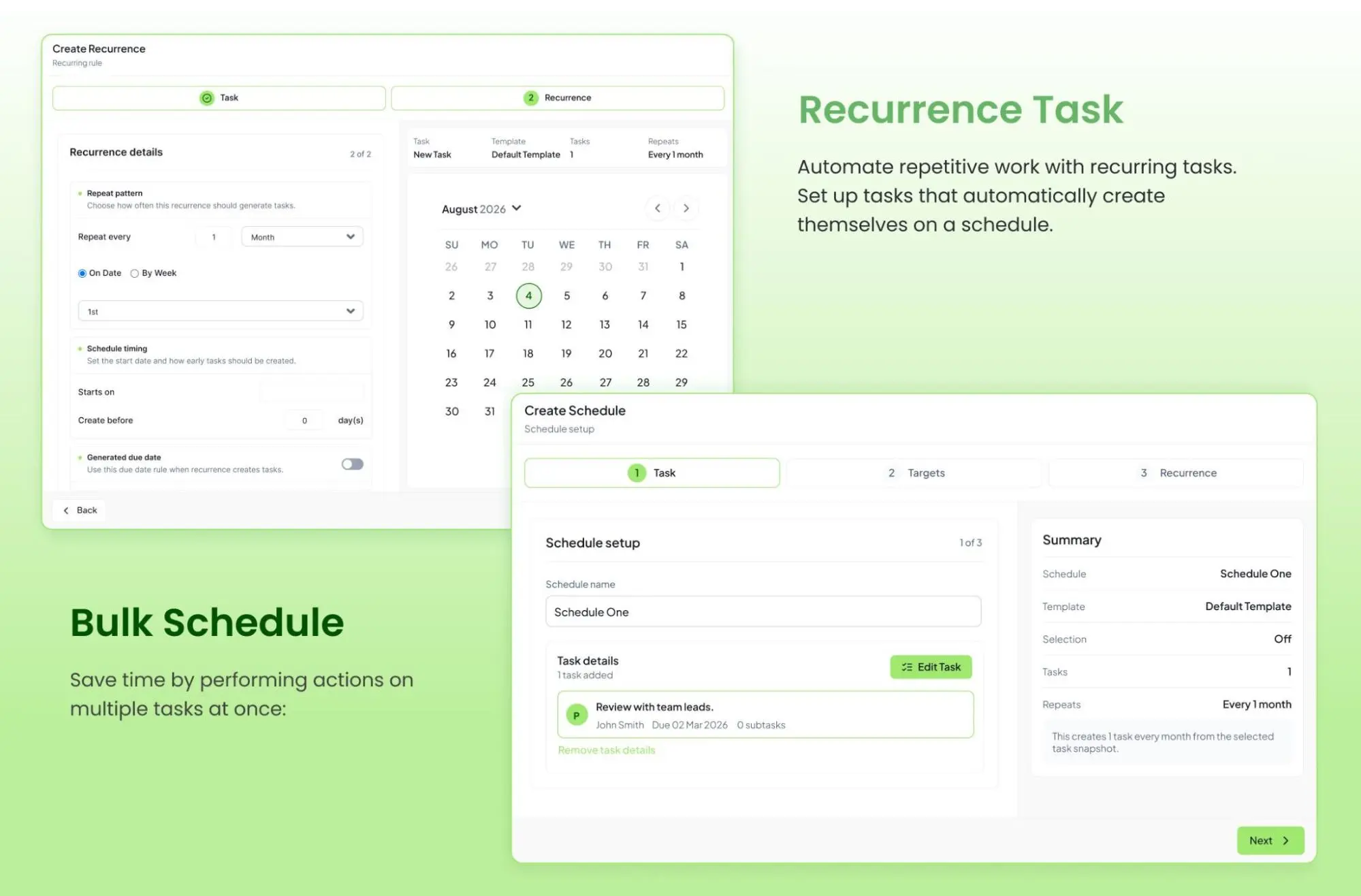
Every growing business depends on approvals. Teams review purchase requests, leave applications, invoices, contracts, marketing assets, reimbursement claims, vendor onboarding, and policy updates. Work can move forward after the right person approves each request.
Business approval workflow automation replaces email chains, spreadsheets, paper forms, and manual follow-ups. Structured approval workflows route requests, notify approvers, track progress, and record each action.
As organizations embrace hybrid work and digital transformation in 2026, approval automation is becoming an essential part of efficient operations rather than an optional upgrade.
What Is an Approval Workflow?
An approval workflow moves a request through one or more decision-makers. The request is then approved, rejected, or returned for changes. Instead of forwarding emails manually, an automated workflow follows defined rules and sends each request to the right person.
Example: Purchase Approval
- A purchase request above $5,000 goes to the Finance Manager.
- If approved, it moves to the Procurement team.
- If rejected, the requester receives the reason immediately.
- Every action is recorded automatically for audit history.
Why Businesses Need Approval Workflow Automation in 2026
Business operations are becoming more complex every year. Hybrid teams work across locations and time zones, employees use multiple systems, customers expect faster service, and compliance requirements continue increasing. Manual approvals simply cannot keep up.
Lost Requests
Email-based approvals are easy to miss, especially when managers receive dozens of messages every day.
Slow Approval Cycles
Manual follow-ups delay decisions and slow down important business tasks.
Poor Visibility
Without a shared system, teams cannot easily see what is pending, approved, rejected, or overdue.
Difficult Audit Preparation
Manual records make it harder to prove who approved a request, when it happened, and why.
Benefits of Automating Business Approval Workflows
1. Faster Decision Making
Approvers receive instant notifications as soon as requests are submitted. Instead of waiting days for someone to notice an email, approvals can happen in hours or even minutes.
2. Reduced Human Error
Automation validates required fields, routes requests correctly, and prevents incomplete submissions.
3. Better Process Visibility
Managers can monitor pending approvals, completed approvals, rejected requests, bottlenecks, and average approval times through an analytics dashboard.
4. Stronger Compliance
Every approval can include timestamps, user details, comments, workflow history, and complete audit trails.
5. Consistent Business Processes
Automation ensures every request follows the same approved process with no shortcuts, missing approvals, or confusion.
Manual vs Automated Approval Workflows
| Manual Process | Automated Workflow |
|---|---|
| Email-based approvals | Rule-based automation |
| Manual follow-ups | Automatic reminders |
| Paper documents | Digital forms and document management |
| Limited visibility | Real-time dashboards |
| Human errors | Automated validation |
| Inconsistent process | Standardized workflow |
Common Approval Workflows Every Business Should Automate
Purchase Requests
Employees submit purchase requests, managers review budgets, and procurement receives approved requests automatically.
Invoice Approvals
Invoices move through predefined approval levels based on value, department, or supplier.
Employee Leave Requests
Managers receive notifications, HR records approved leave, and employees receive confirmation instantly.
Vendor Onboarding
Automation coordinates documentation, compliance verification, finance approval, and procurement review.
Marketing Content Approval
Creative, legal, compliance, and management teams can review content without waiting on scattered email threads.
Contract Reviews
Contracts move between legal, finance, procurement, and executives while each revision stays securely tracked.
Step-by-Step Guide to Automating Approval Workflows
Step 1: Identify Repetitive Approval Processes
Start with approvals that happen frequently, involve multiple people, cause delays, generate repeated follow-up emails, or require manual tracking. Expense approvals, purchase orders, leave requests, invoice processing, IT access requests, and vendor approvals usually deliver fast return on investment.
Step 2: Document Your Existing Process
Map every stage from request submission to final approval. Identify who submits requests, who approves them, what information is required, where delays happen, and which steps can be removed before automation begins.
Step 3: Standardize Approval Rules
Clear business rules allow workflow software to route approvals automatically. For example, purchase requests above $10,000 may require Finance approval. Marketing assets may need Brand Manager review, while contracts over one year may need Legal review.
Step 4: Choose Workflow Automation Software
Look for a no-code workflow builder, custom approval rules, and multi-level approvals. The software should also support automated notifications, role-based permissions, mobile approvals, audit trails, workflow analytics, and integrations.
Step 5: Design Smart Approval Flows
Use conditional logic so every approval follows the fastest possible path without compromising governance. A leave request under three days can go directly to a reporting manager, while a high-value purchase can route to Finance and the Department Head.
Step 6: Configure Notifications and Reminders
Automated reminders reduce manual follow-ups. Send an initial notification after submission, a reminder after 24 hours, a final reminder after 48 hours, and an escalation after the SLA expires.
Step 7: Test Before Company-Wide Deployment
Test with one department, collect employee feedback, identify bottlenecks, verify approval rules, ensure notifications work correctly, and review audit logs before scaling.
Step 8: Measure and Continuously Improve
Track average approval time, completion rate, escalations, employee productivity, processing costs, turnaround time, error rate, and SLA compliance. Pairing approvals with time tracking helps teams understand exactly where delays happen.
Real-World Business Examples
Finance Department
A finance team can route invoices automatically based on amount and notify managers at once. The workflow can then move approved invoices to payment processing and create audit records.
Human Resources
Once HR approves a new employee, the workflow can assign equipment requests and create onboarding checklists. It can also notify IT, schedule orientation, and track task completion with workflow templates.
Procurement
Purchase approvals can route according to company policies so high-value purchases receive additional approvals while routine purchases are processed quickly.
Common Mistakes to Avoid
Automating Poor Processes
Simplify workflows before automating them. Automation should remove unnecessary steps, not make bad processes faster.
Too Many Approval Levels
Every additional approval adds delay. Include only decision-makers who provide genuine value.
Ignoring Employee Training
Employees need simple guidance so they understand how to submit, review, and approve requests.
Lack of Monitoring
Approval workflows should be reviewed regularly as business requirements change.
Best Practices for Workflow Automation
- Start with one high-impact workflow.
- Keep approval processes simple.
- Use role-based permissions.
- Automate repetitive notifications.
- Monitor workflow analytics.
- Maintain detailed audit logs.
- Integrate workflows with existing business systems.
- Standardize approval policies across departments.
The Future of Approval Workflows in 2026
Approval automation is moving beyond simple rule-based routing. Artificial intelligence is enabling smarter routing, intelligent document processing, predictive analytics, mobile approvals, and automated compliance checks.
AI-Powered Routing
AI can recommend the best approver based on workload, approval history, and business context. Hidesc's AI assistant helps teams work smarter with less manual effort.
Predictive Workflow Analytics
Businesses can identify approval bottlenecks before they become major operational issues.
Mobile Approvals
Executives can review and approve requests from smartphones, reducing delays caused by travel or remote work.
Why Choose Hidesc for Approval Workflow Automation?
Hidesc brings approval processes and team collaboration into one workflow management platform.
- Create no-code approval workflows with a visual builder.
- Automate multi-level approvals across departments.
- Configure approval rules for specific business needs.
- Send automatic notifications and reminders.
- Monitor workflow progress through real-time dashboards.
- Support team collaboration for hybrid and remote teams.
Teams can use these tools for purchase approvals, leave requests, vendor onboarding, contract reviews, and other internal processes.
Frequently Asked Questions
What is an automated approval workflow?
An automated approval workflow is a digital process that routes requests to the right approvers based on predefined business rules without manual intervention.
Which business processes should be automated first?
High-volume, repetitive processes such as invoice approvals, leave requests, purchase orders, expense claims, and vendor onboarding usually deliver the fastest ROI.
What are the benefits of workflow automation?
Workflow automation improves productivity, reduces manual errors, speeds up approvals, enhances compliance, increases visibility, and lowers operational costs.
Is workflow automation suitable for small businesses?
Yes. Small businesses benefit by reducing administrative work and creating standardized processes that scale as the company grows.
Can approval workflows support remote teams?
Yes. Cloud-based workflow platforms allow employees and managers to submit, review, and approve requests from anywhere.
Conclusion
Approval workflows affect productivity, compliance, and day-to-day operations. Email, spreadsheets, and manual follow-ups can slow decisions and make status harder to see.
Hidesc lets organizations build flexible approval workflows without complex coding. Teams can reduce repetitive coordination and spend more time on core business work.
Related Hidesc Resources
Automate decisions with the approval workflow system, build repeatable processes through workflow automation, and track process performance using the analytics dashboard.