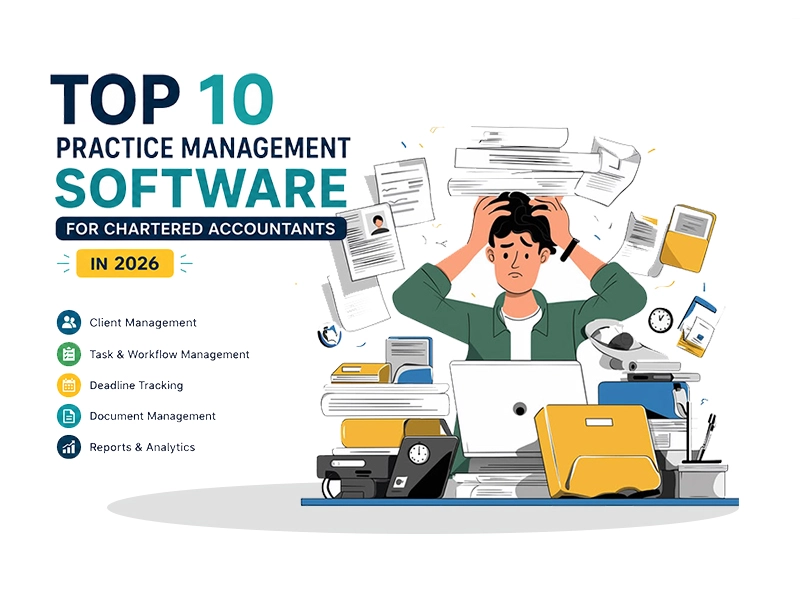
Top 10 Practice Management Software for Chartered Accountants in 2026

By Hidesc Team | 13 min read | Category: ca-practice-management

Compare the top practice management software for Chartered Accountants in 2026 across pricing, features, pros, cons, approvals, documents, client portals, and firm workflow fit.

Tags: CA Practice Management, Practice Management Software, Chartered Accountants, Task Management, Workflow Automation, Hidesc

Top 10 Practice Management Software for Chartered Accountants in 2026

Compared by pricing, features, pros, and cons for CA firms that want better task tracking, client work visibility, document control, approvals, and team accountability.

If you run a CA firm, you already know the real job is not just tax filing or audits. It is chasing documents, tracking twenty deadlines at once, figuring out who on your team is doing what, and still finding time to actually advise clients. A spreadsheet and a WhatsApp group can only take you so far.

That is what practice management software is for. It is the one platform where your tasks, clients, documents, team, and deadlines finally live in the same place instead of scattered across email, Excel, Google Drive, and a dozen sticky notes on your monitor.

We looked at real product pages, verified pricing, user reviews, and firm-side feedback to put together this list of the 10 best practice management tools for Chartered Accountants in 2026. Hidesc tops the list because it is built as a genuine all-in-one operations layer: task management, OKR tracking, role-based approvals, and document control, rather than a narrow tax-season tool that runs out of road once your firm grows past compliance work.

What Is Practice Management Software for CAs?

In simple terms, it is a digital command center for your firm. Instead of five different tools for five different jobs, you get one system that handles:

-Client records and communication history
-Task and deadline tracking for GST, TDS, ROC, audits, and filings
-Document storage with version control
-Team workload, approvals, and role-based access
-Billing, time tracking, and invoicing
-A client portal for document exchange and status updates

The right software does not just organize your work. It removes the manual follow-ups and status-checking that eat into billable hours.

How We Picked These 10

We compared each platform on five things that matter most to a CA firm: compliance-friendliness, ease of use, depth of workflow automation, pricing transparency, and how well it scales as a firm grows from a solo practice to a multi-partner setup. We also weighed real user feedback from Capterra, G2, firm case studies, and the kind of recurring deadline pressure covered in our GST, TDS, and ITR deadline tracking guide rather than just vendor marketing copy.

Top 10 Practice Management Software for Chartered Accountants

1. Hidesc - Best Overall Practice Management Platform for CA Firms

Hidesc is a productivity and operations platform built for enterprises, hybrid teams, and professional service firms, which makes it a strong fit for CA practices that have outgrown basic to-do lists. What sets it apart is field-level role-based access control, a real approval-workflow engine, and OKR or goal tracking layered on top of day-to-day task management, something most CA-specific tools do not offer at all. Firms can also map accountability around reporting lines with an organogram maker.

For a CA firm, this translates directly into practice: partners can set firm-wide compliance goals, managers can build multi-stage approval chains for audit sign-offs or client deliverables, and every document and task stays traceable without anyone micromanaging the process.

Task Management

Custom fields, statuses, and List, Board, and Calendar views for audit, GST, TDS, ROC, and filing work.

Role-Based Access

Role-based access control down to the field level, so firms can control exactly who can view, edit, or approve client data.

Approval Workflows

Multi-level approval workflows for tasks, documents, and client requests.

Document Control

Document management with version history and audit trails.

Goal Tracking

OKR and goal tracking connected directly to daily tasks.

Firm Visibility

Team chat, analytics dashboards, AI-powered insights, and cloud or on-premise deployment options.

Pricing: Hidesc offers flexible plans that scale with team size, with both cloud and on-premise options for firms with stricter data-residency needs. Contact Hidesc directly for a quote tailored to your firm's size and modules.

Best for: CA firms and multi-partner practices that need more than a basic task list, especially those managing audit sign-offs, layered approvals, or multiple offices where permission control and accountability really matter.

Pros: Deepest permission and approval controls on this list. One platform replaces task management, document control, and internal workflow tools. OKR tracking helps partners connect firm goals to actual client work. It works equally well for hybrid and remote teams, and an on-premise option is available for firms with data-security mandates.

Cons: Hidesc is newer to the market than legacy accounting-specific tools, so CA-specific templates are still growing. Best value is unlocked when the whole firm adopts the workflow and approval features, not just task lists.

2. Karbon - Best for Collaboration-Heavy Firms

Karbon has built a strong reputation among accounting and bookkeeping firms for its shared-inbox and email-to-task features, letting teams triage client emails directly into trackable work items.

Top features: Integrated email management, workflow templates, time tracking, client activity timelines, and reporting dashboards.

Pricing: Team plan from $59/user/month, Business plan around $89/user/month, and Enterprise is custom-priced. Plans are billed per user, with annual billing offering a discount.

Useful to: Mid-sized firms with 5+ team members that live in their inbox and want tighter email-task integration.

Pros: Excellent email-to-task workflow, strong G2 ratings, and scales to large firms. Cons: Pricing climbs quickly per user, setup has a steep learning curve, and it can be overkill for solo practitioners.

3. TaxDome - Best All-in-One for Tax-Focused Practices

TaxDome bundles CRM, e-signatures, client portal, billing, and workflow automation into one flat annual fee per user, which appeals to firms tired of paying for five separate subscriptions.

Top features: Branded client portal and mobile app, unlimited e-signatures, pipeline-based workflow automation, and direct integrations with tax software like Drake and ProConnect.

Pricing: Essentials for 1 user around $800/year, Pro around $1,000/user/year, and Business around $1,200/user/year, all billed annually upfront.

Useful to: Tax and accounting firms that want one bundled subscription instead of stacking multiple tools.

Pros: Strong bundling reduces total software cost, unlimited document storage, and solid mobile experience. Cons: Annual upfront billing with limited refunds, Essentials is capped at one user, and reporting can feel rigid.

4. Zoho Practice - Best for Firms Already in the Zoho Ecosystem

Zoho Practice helps accounting firms manage client work, tasks, deadlines, and team collaboration, while Zoho Books focuses on accounting functions like invoicing, expenses, and financial reporting. For CA firms that already use Zoho Books or Zoho Payroll, Practice slots in as the missing operations layer.

Top features: Client onboarding and record management, contextual chat and email integration, timesheets tied to billing, and native integration with Zoho Books, Payroll, Expense, and Inventory.

Pricing: Pricing is quote-based depending on firm size and modules. Zoho typically offers a 14-day free trial, and eligible Zoho partners get free access.

Useful to: Small to mid-sized firms already using Zoho's finance suite who want everything under one login.

Pros: Deep integration with Zoho Books and Payroll, works even for clients not on Zoho, and offers a generous free trial. Cons: Pricing is not publicly listed, so budgeting requires a sales call, and it has fewer CA-specific compliance templates compared to India-built rivals.

5. Canopy - Best for Firms Doing Tax Resolution Work

Canopy is popular with firms that handle IRS notices and tax resolution cases alongside standard compliance work, thanks to its transcript-pulling and notice-tracking tools.

Top features: IRS transcript automation, modular add-ons for document management, workflow, time and billing, client engagement CRM, and an AI-assisted Coworker tool for document summarization.

Pricing: Starter around $45/user/month. Growing firms pay a base fee of about $150/month plus modular add-ons for document management, workflow, and time and billing, so total cost varies by how many modules you activate.

Useful to: Firms with meaningful tax resolution or notice-handling workload.

Pros: Best-in-class IRS and notice tools, with flexible modular pricing for firms that do not need everything. Cons: Modular pricing can get confusing and expensive once you add multiple add-ons, and full functionality costs more than flat-fee competitors.

6. Financial Cents - Best for Small and Solo Firms

Financial Cents keeps pricing and features refreshingly simple: one flat fee, no modules to calculate, and no surprise add-ons.

Top features: Workflow templates with 300+ pre-built options, client portal, document management, time tracking, and email integration, all included in every plan.

Pricing: Solo plan around $19/month; Team plan around $49/user/month, billed annually.

Useful to: Solo CAs and small teams under 10 people who want a simple, all-inclusive tool without an enterprise learning curve.

Pros: Transparent all-inclusive pricing, consistently rated high for ease of use, and fast onboarding. Cons: Fewer advanced features like tax resolution or deep BI reporting than larger platforms, and less suited to firms above 20 to 30 staff.

7. CCH iFirm - Best for Firms Wanting Compliance-Grade Reporting

CCH iFirm is a cloud-native suite of integrated software supporting firm management, compliance, and client relationship needs for accounting firms across multiple regions, including India.

Top features: Firm-wide compliance tracking, integrated document management, job and task dashboards, and audit trail logging.

Pricing: Custom quote-based pricing through a regional Solutions Manager, with no public flat rate.

Useful to: Mid-to-large firms that need a compliance-first system backed by a global software provider such as Wolters Kluwer.

Pros: Strong compliance and audit-trail depth, plus an established global vendor with regional support. Cons: No transparent public pricing, and some users report a dated interface and limited customization on job statuses.

8. ICAI Practice Management Software - Built By CAs, For CAs

The Institute of Chartered Accountants of India presents a Practice Management Software designed to help Chartered Accountants with office automation, covering tasks, documents, accounts, clients, and employees.

Top features: Account management, client-wise login and tracking, communication management with auto alerts, and employee work allocation and reporting.

Pricing: Offered through ICAI's official platform. Check current member pricing directly with ICAI, as rates are periodically revised.

Useful to: ICAI-affiliated CA firms in India that want a tool aligned specifically with ICAI's own workflow standards.

Pros: Purpose-built for Indian CA compliance work, backed by the regulatory body itself, with India-specific workflows out of the box. Cons: Feature set is more basic than global competitors, update cycle is slower, and third-party integrations are limited.

9. Turia - Best Budget Option for Indian CA Firms

Turia is built specifically for Indian CA, CS, and tax firms, with a pay-as-you-grow pricing model that is hard to beat on cost.

Top features: Recurring task templates and checklists, DSC register, password vault for client credentials, time tracking linked to billing, and geo-location-based attendance.

Pricing: Around Rs. 100 per user/month. A 5-person team pays roughly Rs. 500/month. Comes with a 14-day free trial.

Useful to: Small and mid-sized Indian CA firms that are price-sensitive but still want compliance-specific features like DSC tracking.

Pros: Extremely affordable per-user pricing, India-specific features like DSC registers and client password vaults, and a simple pay-as-you-grow model. Cons: Smaller ecosystem and fewer integrations than global players, and best suited to firms under 30 to 40 users.

10. Jetpack Workflow - Best Lightweight Workflow Tool

Jetpack Workflow keeps things simple: templated workflows, deadline tracking, and client management, without the bells and whistles of a full CRM suite.

Top features: Pre-built accounting workflow templates, recurring task automation, and a client work status dashboard.

Pricing: Starts around $30 to $36/user/month depending on plan and billing cycle.

Useful to: Small firms that want workflow templates and deadline tracking without paying for a full CRM or client portal.

Pros: One of the more affordable options for pure workflow tracking, and quick to set up. Cons: No built-in client portal or e-signature, and lighter on billing and document management compared to full-suite competitors.

Comparison Table: Top 10 Practice Management Software for CAs

Software Best For Starting Price Client Portal Role-Based Approvals Free Trial
HidescAll-in-one operations and approvalsCustom quoteYesYes, field-levelOn request
KarbonEmail-heavy collaboration$59/user/moYesLimitedYes
TaxDomeBundled tax practice suite$800/user/yrYesLimitedNo
Zoho PracticeZoho ecosystem usersCustom quoteYesLimitedYes, 14-day
CanopyTax resolution firms$45/user/mo plus add-onsYesLimitedYes
Financial CentsSolo and small firms$19/mo soloYesNoYes
CCH iFirmCompliance-grade reportingCustom quoteYesLimitedOn request
ICAI PMSICAI-affiliated Indian firmsMember pricingYesBasicCheck with ICAI
TuriaBudget Indian CA firmsRs. 100/user/moYesBasicYes, 14-day
Jetpack WorkflowLightweight workflow only$30/user/moNoNoYes

Pricing changes frequently. Always confirm current rates directly with each vendor before purchasing.

How to Choose the Right Practice Management Software for Your CA Firm

-Solo practitioner or under 5 staff: Start with Financial Cents or Turia for low cost and fast setup.
-Growing firm needing approvals and accountability: Hidesc's role-based access and multi-level approvals are built exactly for this stage.
-Heavy email/client communication volume: Karbon's shared-inbox workflow is hard to beat, while firms wanting work conversations inside the same platform should compare team chat options.
-Tax resolution-heavy practice: Canopy's IRS-specific tools are the most mature on this list.
-ICAI-aligned, India-first workflow: ICAI PMS or Turia will feel most native to Indian compliance work.

Whatever you pick, run a real trial with your actual client data before committing. A tool that looks great in a demo can still feel clunky once your whole team and 200 real clients are inside it.

Trends to Watch in CA Practice Management

1. AI-assisted document summarization and drafting

AI support is moving from nice to have to standard, as seen in Canopy's Coworker and Hidesc's AI-powered insights inside analytics dashboards.

2. Role-based, field-level permissions

Firms are handling more sensitive client data and need audit-ready access trails, so granular permissions are becoming essential.

3. Flat, bundled pricing

Bundled pricing is winning over modular add-on pricing as firms get tired of unpredictable monthly bills.

4. Mobile-first client portals

Mobile-first client portals are now a baseline expectation, not a differentiator, especially when paired with time tracking and billing visibility.

Conclusion

There is no single best practice management software for every CA firm. The right pick depends on your team size, budget, and how complex your approval chains need to be. But if you want one platform that grows with your firm from five clients to five hundred, without forcing you to bolt on three other tools for approvals, permissions, and document control, Hidesc is the strongest all-round choice on this list.

Firms with more tax-specific or India-compliance-specific needs will find good fits in TaxDome, Turia, or ICAI's own PMS.

Whichever you choose, the goal is the same: less time chasing status updates, more time doing the actual accounting work your clients pay you for.

Frequently Asked Questions

1. What is the best practice management software for Chartered Accountants in 2026?

There is not a single universal answer. It depends on firm size and needs. Hidesc stands out for firms that need strong role-based approvals and all-in-one task management, while TaxDome and Canopy suit tax-heavy practices, and Turia or ICAI PMS work well for smaller Indian firms on a budget.

2. How much does practice management software cost for a CA firm?

Pricing ranges widely, from roughly Rs. 100 per user/month for budget Indian tools like Turia, to $19 to $99 per user/month for global platforms like Financial Cents, Karbon, and Canopy. Enterprise-grade platforms like Hidesc and CCH iFirm are typically quote-based depending on team size and modules needed.

3. Is practice management software worth it for a solo CA practitioner?

Yes, even solo practitioners benefit from automated deadline reminders, a client portal for document collection, and centralized records. It removes hours of manual follow-up each week. Solo-friendly options like Financial Cents' Solo plan or Turia keep the cost low.

4. What features should a CA firm look for in practice management software?

At minimum: task and deadline tracking, secure document storage with version control, a client portal, billing and invoicing tied to time tracking, and role-based access control so sensitive client data is not visible to everyone on the team.

5. Can practice management software replace Excel and WhatsApp for client tracking?

Yes. That is essentially its entire purpose. It centralizes client communication, document requests, and task status in one auditable system, removing the risk of lost WhatsApp messages or outdated spreadsheet versions.

6. Is Hidesc built specifically for Chartered Accountants?

Hidesc is a general enterprise productivity and operations platform, not a CA-only tool. But its role-based access control, multi-level approval workflows, and document management map directly onto how CA firms handle audit sign-offs, client approvals, and compliance tracking, making it a strong fit for growing firms.

7. What is the difference between practice management software and accounting software?

Accounting software like Zoho Books or QuickBooks handles the client's financial books, including invoicing, ledgers, and GST filings. Practice management software runs your firm's internal operations, including tasks, deadlines, approvals, documents, and team workload, regardless of which accounting software your clients use.

8. Which practice management software is best for Indian CA firms specifically?

Turia and ICAI's own PMS are built specifically around Indian compliance needs like DSC registers and ROC, GST, and TDS deadline tracking. Zoho Practice is also popular in India due to its integration with Zoho Books, which many Indian firms already use.

9. How long does it take to implement new practice management software in a CA firm?

For small firms, most tools can be set up and populated with client data within a few days to two weeks. Larger firms migrating years of client history and building custom approval workflows should budget four to eight weeks, including staff training.

10. Do these platforms integrate with tax filing and accounting software?

Most do. TaxDome integrates with Drake and ProConnect, Zoho Practice connects natively with Zoho Books and Payroll, and Karbon integrates with Xero and QuickBooks. Always confirm integration support for your specific tax software before switching platforms.


Back to Blog
ca-practice-management13 min read

Top 10 Practice Management Software for Chartered Accountants in 2026

Compare the top practice management software for Chartered Accountants in 2026 across pricing, features, pros, cons, approvals, documents, client portals, and firm workflow fit.

Top 10 Practice Management Software for Chartered Accountants in 2026

Top 10 Practice Management Software for Chartered Accountants in 2026

Compared by pricing, features, pros, and cons for CA firms that want better task tracking, client work visibility, document control, approvals, and team accountability.

If you run a CA firm, you already know the real job is not just tax filing or audits. It is chasing documents, tracking twenty deadlines at once, figuring out who on your team is doing what, and still finding time to actually advise clients. A spreadsheet and a WhatsApp group can only take you so far.

That is what practice management software is for. It is the one platform where your tasks, clients, documents, team, and deadlines finally live in the same place instead of scattered across email, Excel, Google Drive, and a dozen sticky notes on your monitor.

We looked at real product pages, verified pricing, user reviews, and firm-side feedback to put together this list of the 10 best practice management tools for Chartered Accountants in 2026. Hidesc tops the list because it is built as a genuine all-in-one operations layer: task management, OKR tracking, role-based approvals, and document control, rather than a narrow tax-season tool that runs out of road once your firm grows past compliance work.

What Is Practice Management Software for CAs?

In simple terms, it is a digital command center for your firm. Instead of five different tools for five different jobs, you get one system that handles:

-Client records and communication history
-Task and deadline tracking for GST, TDS, ROC, audits, and filings
-Document storage with version control
-Team workload, approvals, and role-based access
-Billing, time tracking, and invoicing
-A client portal for document exchange and status updates

The right software does not just organize your work. It removes the manual follow-ups and status-checking that eat into billable hours.

How We Picked These 10

We compared each platform on five things that matter most to a CA firm: compliance-friendliness, ease of use, depth of workflow automation, pricing transparency, and how well it scales as a firm grows from a solo practice to a multi-partner setup. We also weighed real user feedback from Capterra, G2, firm case studies, and the kind of recurring deadline pressure covered in our GST, TDS, and ITR deadline tracking guide rather than just vendor marketing copy.

Top 10 Practice Management Software for Chartered Accountants

1. Hidesc - Best Overall Practice Management Platform for CA Firms

Hidesc is a productivity and operations platform built for enterprises, hybrid teams, and professional service firms, which makes it a strong fit for CA practices that have outgrown basic to-do lists. What sets it apart is field-level role-based access control, a real approval-workflow engine, and OKR or goal tracking layered on top of day-to-day task management, something most CA-specific tools do not offer at all. Firms can also map accountability around reporting lines with an organogram maker.

For a CA firm, this translates directly into practice: partners can set firm-wide compliance goals, managers can build multi-stage approval chains for audit sign-offs or client deliverables, and every document and task stays traceable without anyone micromanaging the process.

Task Management

Custom fields, statuses, and List, Board, and Calendar views for audit, GST, TDS, ROC, and filing work.

Role-Based Access

Role-based access control down to the field level, so firms can control exactly who can view, edit, or approve client data.

Approval Workflows

Multi-level approval workflows for tasks, documents, and client requests.

Document Control

Document management with version history and audit trails.

Goal Tracking

OKR and goal tracking connected directly to daily tasks.

Firm Visibility

Team chat, analytics dashboards, AI-powered insights, and cloud or on-premise deployment options.

Pricing: Hidesc offers flexible plans that scale with team size, with both cloud and on-premise options for firms with stricter data-residency needs. Contact Hidesc directly for a quote tailored to your firm's size and modules.

Best for: CA firms and multi-partner practices that need more than a basic task list, especially those managing audit sign-offs, layered approvals, or multiple offices where permission control and accountability really matter.

Pros: Deepest permission and approval controls on this list. One platform replaces task management, document control, and internal workflow tools. OKR tracking helps partners connect firm goals to actual client work. It works equally well for hybrid and remote teams, and an on-premise option is available for firms with data-security mandates.

Cons: Hidesc is newer to the market than legacy accounting-specific tools, so CA-specific templates are still growing. Best value is unlocked when the whole firm adopts the workflow and approval features, not just task lists.

2. Karbon - Best for Collaboration-Heavy Firms

Karbon has built a strong reputation among accounting and bookkeeping firms for its shared-inbox and email-to-task features, letting teams triage client emails directly into trackable work items.

Top features: Integrated email management, workflow templates, time tracking, client activity timelines, and reporting dashboards.

Pricing: Team plan from $59/user/month, Business plan around $89/user/month, and Enterprise is custom-priced. Plans are billed per user, with annual billing offering a discount.

Useful to: Mid-sized firms with 5+ team members that live in their inbox and want tighter email-task integration.

Pros: Excellent email-to-task workflow, strong G2 ratings, and scales to large firms. Cons: Pricing climbs quickly per user, setup has a steep learning curve, and it can be overkill for solo practitioners.

3. TaxDome - Best All-in-One for Tax-Focused Practices

TaxDome bundles CRM, e-signatures, client portal, billing, and workflow automation into one flat annual fee per user, which appeals to firms tired of paying for five separate subscriptions.

Top features: Branded client portal and mobile app, unlimited e-signatures, pipeline-based workflow automation, and direct integrations with tax software like Drake and ProConnect.

Pricing: Essentials for 1 user around $800/year, Pro around $1,000/user/year, and Business around $1,200/user/year, all billed annually upfront.

Useful to: Tax and accounting firms that want one bundled subscription instead of stacking multiple tools.

Pros: Strong bundling reduces total software cost, unlimited document storage, and solid mobile experience. Cons: Annual upfront billing with limited refunds, Essentials is capped at one user, and reporting can feel rigid.

4. Zoho Practice - Best for Firms Already in the Zoho Ecosystem

Zoho Practice helps accounting firms manage client work, tasks, deadlines, and team collaboration, while Zoho Books focuses on accounting functions like invoicing, expenses, and financial reporting. For CA firms that already use Zoho Books or Zoho Payroll, Practice slots in as the missing operations layer.

Top features: Client onboarding and record management, contextual chat and email integration, timesheets tied to billing, and native integration with Zoho Books, Payroll, Expense, and Inventory.

Pricing: Pricing is quote-based depending on firm size and modules. Zoho typically offers a 14-day free trial, and eligible Zoho partners get free access.

Useful to: Small to mid-sized firms already using Zoho's finance suite who want everything under one login.

Pros: Deep integration with Zoho Books and Payroll, works even for clients not on Zoho, and offers a generous free trial. Cons: Pricing is not publicly listed, so budgeting requires a sales call, and it has fewer CA-specific compliance templates compared to India-built rivals.

5. Canopy - Best for Firms Doing Tax Resolution Work

Canopy is popular with firms that handle IRS notices and tax resolution cases alongside standard compliance work, thanks to its transcript-pulling and notice-tracking tools.

Top features: IRS transcript automation, modular add-ons for document management, workflow, time and billing, client engagement CRM, and an AI-assisted Coworker tool for document summarization.

Pricing: Starter around $45/user/month. Growing firms pay a base fee of about $150/month plus modular add-ons for document management, workflow, and time and billing, so total cost varies by how many modules you activate.

Useful to: Firms with meaningful tax resolution or notice-handling workload.

Pros: Best-in-class IRS and notice tools, with flexible modular pricing for firms that do not need everything. Cons: Modular pricing can get confusing and expensive once you add multiple add-ons, and full functionality costs more than flat-fee competitors.

6. Financial Cents - Best for Small and Solo Firms

Financial Cents keeps pricing and features refreshingly simple: one flat fee, no modules to calculate, and no surprise add-ons.

Top features: Workflow templates with 300+ pre-built options, client portal, document management, time tracking, and email integration, all included in every plan.

Pricing: Solo plan around $19/month; Team plan around $49/user/month, billed annually.

Useful to: Solo CAs and small teams under 10 people who want a simple, all-inclusive tool without an enterprise learning curve.

Pros: Transparent all-inclusive pricing, consistently rated high for ease of use, and fast onboarding. Cons: Fewer advanced features like tax resolution or deep BI reporting than larger platforms, and less suited to firms above 20 to 30 staff.

7. CCH iFirm - Best for Firms Wanting Compliance-Grade Reporting

CCH iFirm is a cloud-native suite of integrated software supporting firm management, compliance, and client relationship needs for accounting firms across multiple regions, including India.

Top features: Firm-wide compliance tracking, integrated document management, job and task dashboards, and audit trail logging.

Pricing: Custom quote-based pricing through a regional Solutions Manager, with no public flat rate.

Useful to: Mid-to-large firms that need a compliance-first system backed by a global software provider such as Wolters Kluwer.

Pros: Strong compliance and audit-trail depth, plus an established global vendor with regional support. Cons: No transparent public pricing, and some users report a dated interface and limited customization on job statuses.

8. ICAI Practice Management Software - Built By CAs, For CAs

The Institute of Chartered Accountants of India presents a Practice Management Software designed to help Chartered Accountants with office automation, covering tasks, documents, accounts, clients, and employees.

Top features: Account management, client-wise login and tracking, communication management with auto alerts, and employee work allocation and reporting.

Pricing: Offered through ICAI's official platform. Check current member pricing directly with ICAI, as rates are periodically revised.

Useful to: ICAI-affiliated CA firms in India that want a tool aligned specifically with ICAI's own workflow standards.

Pros: Purpose-built for Indian CA compliance work, backed by the regulatory body itself, with India-specific workflows out of the box. Cons: Feature set is more basic than global competitors, update cycle is slower, and third-party integrations are limited.

9. Turia - Best Budget Option for Indian CA Firms

Turia is built specifically for Indian CA, CS, and tax firms, with a pay-as-you-grow pricing model that is hard to beat on cost.

Top features: Recurring task templates and checklists, DSC register, password vault for client credentials, time tracking linked to billing, and geo-location-based attendance.

Pricing: Around Rs. 100 per user/month. A 5-person team pays roughly Rs. 500/month. Comes with a 14-day free trial.

Useful to: Small and mid-sized Indian CA firms that are price-sensitive but still want compliance-specific features like DSC tracking.

Pros: Extremely affordable per-user pricing, India-specific features like DSC registers and client password vaults, and a simple pay-as-you-grow model. Cons: Smaller ecosystem and fewer integrations than global players, and best suited to firms under 30 to 40 users.

10. Jetpack Workflow - Best Lightweight Workflow Tool

Jetpack Workflow keeps things simple: templated workflows, deadline tracking, and client management, without the bells and whistles of a full CRM suite.

Top features: Pre-built accounting workflow templates, recurring task automation, and a client work status dashboard.

Pricing: Starts around $30 to $36/user/month depending on plan and billing cycle.

Useful to: Small firms that want workflow templates and deadline tracking without paying for a full CRM or client portal.

Pros: One of the more affordable options for pure workflow tracking, and quick to set up. Cons: No built-in client portal or e-signature, and lighter on billing and document management compared to full-suite competitors.

Comparison Table: Top 10 Practice Management Software for CAs

Software Best For Starting Price Client Portal Role-Based Approvals Free Trial
HidescAll-in-one operations and approvalsCustom quoteYesYes, field-levelOn request
KarbonEmail-heavy collaboration$59/user/moYesLimitedYes
TaxDomeBundled tax practice suite$800/user/yrYesLimitedNo
Zoho PracticeZoho ecosystem usersCustom quoteYesLimitedYes, 14-day
CanopyTax resolution firms$45/user/mo plus add-onsYesLimitedYes
Financial CentsSolo and small firms$19/mo soloYesNoYes
CCH iFirmCompliance-grade reportingCustom quoteYesLimitedOn request
ICAI PMSICAI-affiliated Indian firmsMember pricingYesBasicCheck with ICAI
TuriaBudget Indian CA firmsRs. 100/user/moYesBasicYes, 14-day
Jetpack WorkflowLightweight workflow only$30/user/moNoNoYes

Pricing changes frequently. Always confirm current rates directly with each vendor before purchasing.

How to Choose the Right Practice Management Software for Your CA Firm

-Solo practitioner or under 5 staff: Start with Financial Cents or Turia for low cost and fast setup.
-Growing firm needing approvals and accountability: Hidesc's role-based access and multi-level approvals are built exactly for this stage.
-Heavy email/client communication volume: Karbon's shared-inbox workflow is hard to beat, while firms wanting work conversations inside the same platform should compare team chat options.
-Tax resolution-heavy practice: Canopy's IRS-specific tools are the most mature on this list.
-ICAI-aligned, India-first workflow: ICAI PMS or Turia will feel most native to Indian compliance work.

Whatever you pick, run a real trial with your actual client data before committing. A tool that looks great in a demo can still feel clunky once your whole team and 200 real clients are inside it.

Trends to Watch in CA Practice Management

1. AI-assisted document summarization and drafting

AI support is moving from nice to have to standard, as seen in Canopy's Coworker and Hidesc's AI-powered insights inside analytics dashboards.

2. Role-based, field-level permissions

Firms are handling more sensitive client data and need audit-ready access trails, so granular permissions are becoming essential.

3. Flat, bundled pricing

Bundled pricing is winning over modular add-on pricing as firms get tired of unpredictable monthly bills.

4. Mobile-first client portals

Mobile-first client portals are now a baseline expectation, not a differentiator, especially when paired with time tracking and billing visibility.

Conclusion

There is no single best practice management software for every CA firm. The right pick depends on your team size, budget, and how complex your approval chains need to be. But if you want one platform that grows with your firm from five clients to five hundred, without forcing you to bolt on three other tools for approvals, permissions, and document control, Hidesc is the strongest all-round choice on this list.

Firms with more tax-specific or India-compliance-specific needs will find good fits in TaxDome, Turia, or ICAI's own PMS.

Whichever you choose, the goal is the same: less time chasing status updates, more time doing the actual accounting work your clients pay you for.

Frequently Asked Questions

1. What is the best practice management software for Chartered Accountants in 2026?

There is not a single universal answer. It depends on firm size and needs. Hidesc stands out for firms that need strong role-based approvals and all-in-one task management, while TaxDome and Canopy suit tax-heavy practices, and Turia or ICAI PMS work well for smaller Indian firms on a budget.

2. How much does practice management software cost for a CA firm?

Pricing ranges widely, from roughly Rs. 100 per user/month for budget Indian tools like Turia, to $19 to $99 per user/month for global platforms like Financial Cents, Karbon, and Canopy. Enterprise-grade platforms like Hidesc and CCH iFirm are typically quote-based depending on team size and modules needed.

3. Is practice management software worth it for a solo CA practitioner?

Yes, even solo practitioners benefit from automated deadline reminders, a client portal for document collection, and centralized records. It removes hours of manual follow-up each week. Solo-friendly options like Financial Cents' Solo plan or Turia keep the cost low.

4. What features should a CA firm look for in practice management software?

At minimum: task and deadline tracking, secure document storage with version control, a client portal, billing and invoicing tied to time tracking, and role-based access control so sensitive client data is not visible to everyone on the team.

5. Can practice management software replace Excel and WhatsApp for client tracking?

Yes. That is essentially its entire purpose. It centralizes client communication, document requests, and task status in one auditable system, removing the risk of lost WhatsApp messages or outdated spreadsheet versions.

6. Is Hidesc built specifically for Chartered Accountants?

Hidesc is a general enterprise productivity and operations platform, not a CA-only tool. But its role-based access control, multi-level approval workflows, and document management map directly onto how CA firms handle audit sign-offs, client approvals, and compliance tracking, making it a strong fit for growing firms.

7. What is the difference between practice management software and accounting software?

Accounting software like Zoho Books or QuickBooks handles the client's financial books, including invoicing, ledgers, and GST filings. Practice management software runs your firm's internal operations, including tasks, deadlines, approvals, documents, and team workload, regardless of which accounting software your clients use.

8. Which practice management software is best for Indian CA firms specifically?

Turia and ICAI's own PMS are built specifically around Indian compliance needs like DSC registers and ROC, GST, and TDS deadline tracking. Zoho Practice is also popular in India due to its integration with Zoho Books, which many Indian firms already use.

9. How long does it take to implement new practice management software in a CA firm?

For small firms, most tools can be set up and populated with client data within a few days to two weeks. Larger firms migrating years of client history and building custom approval workflows should budget four to eight weeks, including staff training.

10. Do these platforms integrate with tax filing and accounting software?

Most do. TaxDome integrates with Drake and ProConnect, Zoho Practice connects natively with Zoho Books and Payroll, and Karbon integrates with Xero and QuickBooks. Always confirm integration support for your specific tax software before switching platforms.
Explore related Hidesc pages

Continue learning with related product pages, use cases, and tools connected to this topic.